User record: Follow Me
A cascade of destinations that follows the person. The mechanism is the same as deviations, but it applies to the incoming call without waiting for a specific event.
Enabling it
The tab starts with a Follow Me checkbox. As long as it is unchecked, the destinations below are inert: you can therefore prepare a cascade and enable it later.
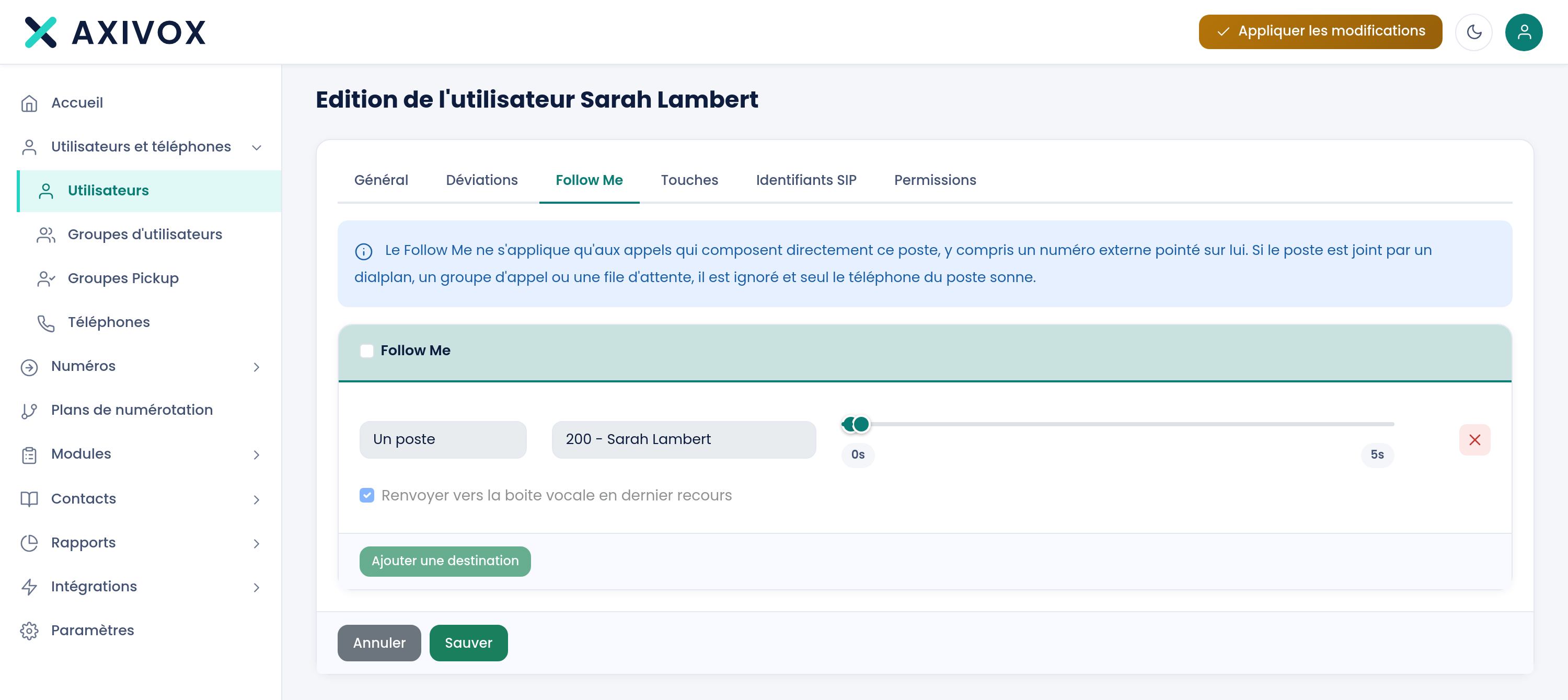
Three destinations
The tab offers three destination blocks, each made up of a Destination field and two sliders ranging from 0 to 240 seconds.
It works exactly like deviations: each destination rings between the second set by the first slider and the one set by the second. The mechanism's details, and in particular the value of overlapping, are explained in the Deviations article.
A concrete example
Someone who often travels for work:
| Destination | From | To | What happens |
|---|---|---|---|
| Their desk phone | 0 | 25 | Rings first, they might be at their desk |
| Mobile number | 18 | 55 | Takes over before the desk phone stops |
| A colleague from the department | 45 | 90 | Safety net if they answer neither the desk phone nor the mobile |
The overlap from 18 to 25, then from 45 to 55, means the caller never hears silence.
Follow Me or deviation?
The simple rule of thumb: Follow Me describes *where to reach the person*, it is a property of the person. Deviation describes *what to do when something fails*, it is a fallback rule. If you are describing mobility, use Follow Me. If you are describing a safety net, use deviations.
Putting it into service
Save, then Apply changes. Test by calling the extension and letting it ring all the way through: you should hear the switches at the seconds you set.
Everything you can set from your interface
See the features