Queues
When several people need to be able to answer the same number. The queue holds callers, plays them music, and distributes calls to agents according to the rule you choose.
Creating a queue
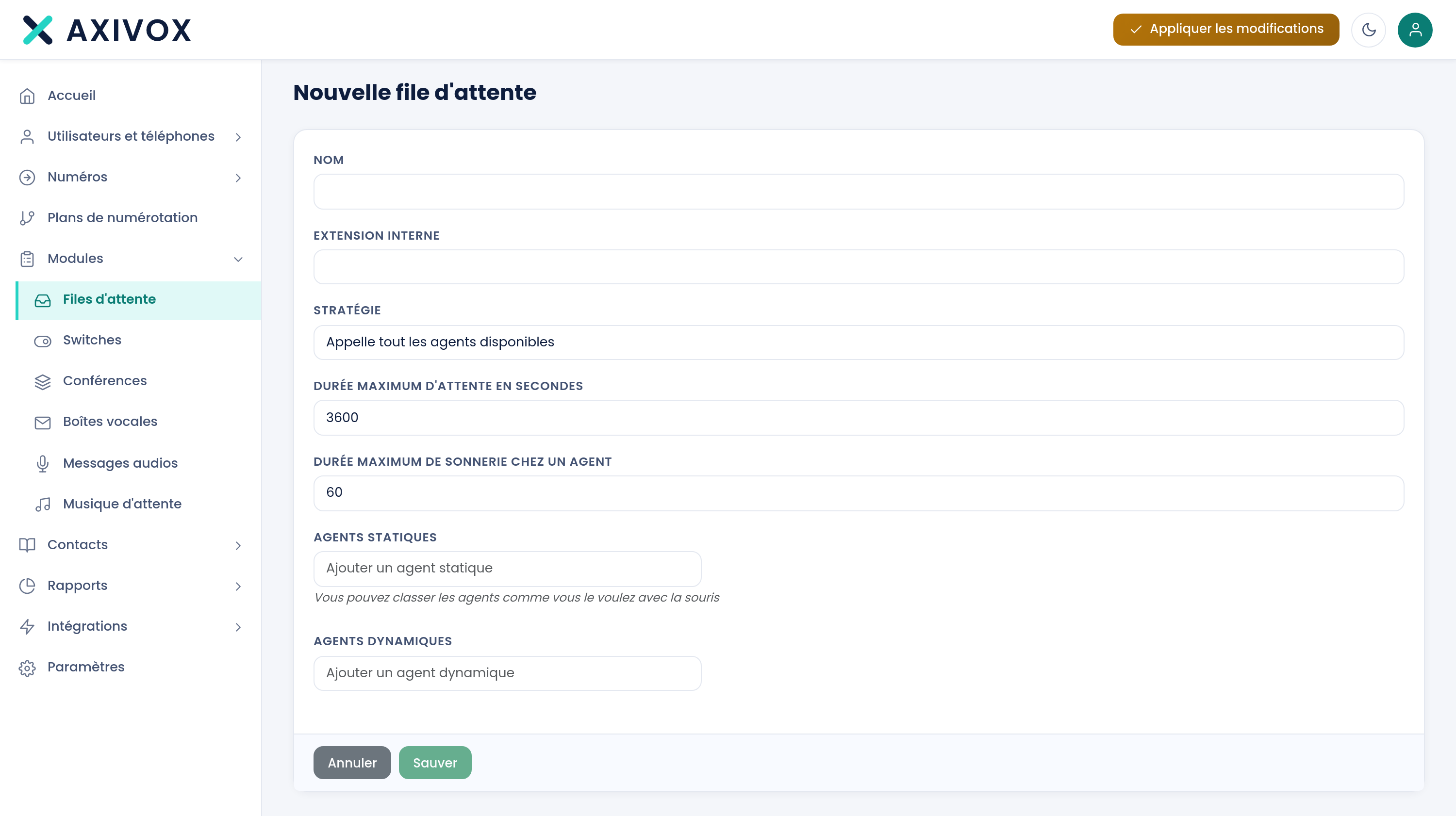
The Add a queue button opens the form. Seven settings.
| Name | The queue's name, the one you'll see in reports |
| Internal extension | The number used to call the queue directly |
| Strategy | How calls are distributed. See below |
| Maximum wait time in seconds | Beyond this, the call takes the module's timeout output |
| Maximum ring time at an agent | Beyond this, it moves on to the next agent |
| Static agents | The people always in the queue |
| Dynamic agents | The people who log in and out of it |
The six distribution strategies
| Strategy | What it does |
|---|---|
| Ring all available agents | All phones ring at the same time, the first to answer takes the call |
| Ring the agent who has waited longest since their last call | Spreads calls over time, whoever has worked least recently goes first |
| Ring the agent who has received the fewest calls | Evens out the number of calls over the day |
| Ring a random agent | No logic, a statistically balanced distribution |
| Ring agents one after another | In rotation, resuming after the last one who answered |
| Ring agents one after another, starting from the top of the list | In rotation, always in the same order |
Static and dynamic agents
This is the most useful distinction on this screen.
- A static agent is in the queue permanently. They have nothing to do, their phone rings as soon as a call comes in.
- A dynamic agent logs in and out of the queue themselves, from a key on their phone or from their interface.
The two durations, and their trap
What happens after the delay
The call takes the timeout output of the Queue module in your plan. Connect it, otherwise the call drops. A voicemail box, an overflow to another team, or an AI voice agent are the three usual destinations.
Tracking activity
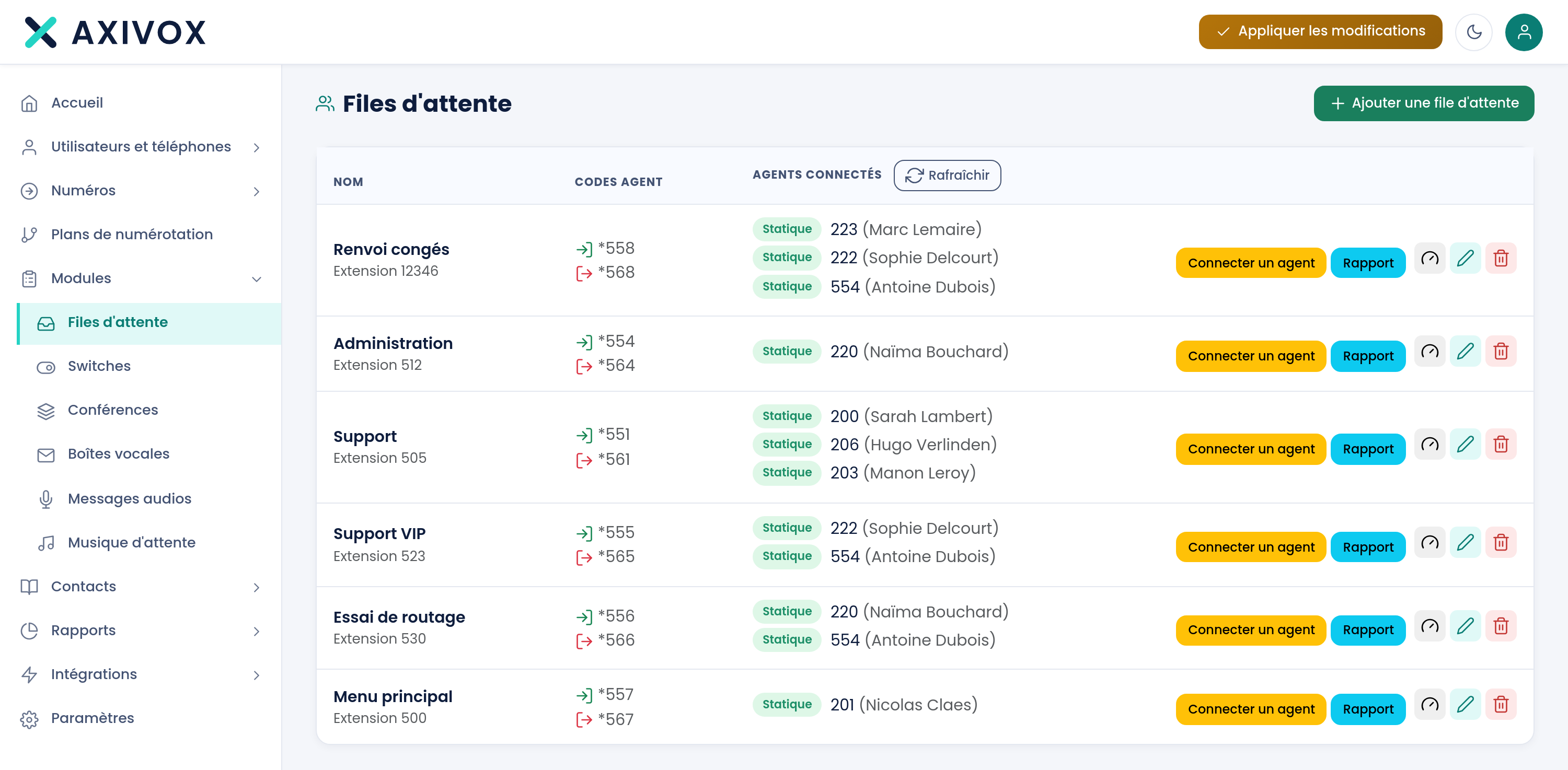
Four reports are available in the Reports menu: call distribution, answered calls, unanswered calls and agent performance.
Distribution strategies and what the reports measure
See the Queues and statistics page