User record: Deviations
Where the call goes when the person does not pick up, or when their line is busy. Two cases handled separately, with as many destinations as you want and a time window per destination.
What the tab contains
The Deviations tab presents two independent blocks:
- No-answer deviation: the extension rings, nobody picks up.
- Busy deviation: the extension is already on a call.
Each block is empty at first and shows "No deviation configured," with an Add a destination button.
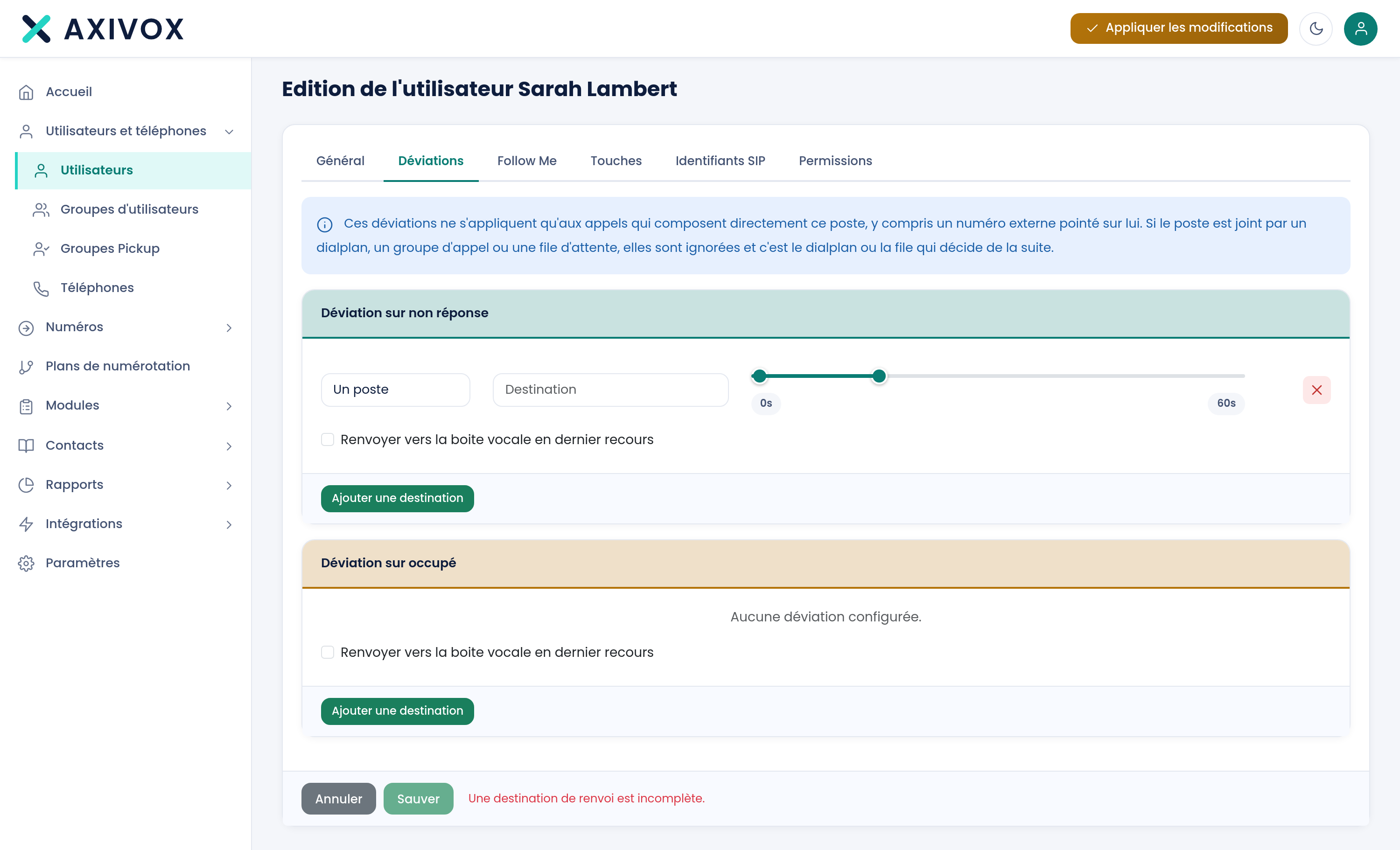
Adding a destination
Clicking Add a destination brings up a row made of three elements:
- Destination: a text field, with suggestions.
- Two sliders that define a time window.
The destination
The field offers 23 suggestions on this setup. The first is "Mobile number," which reuses the mobile entered in the General tab. Then come all the extensions, in the form 200 - Name.
You can also freely enter an external number, for example an on-call line or a service provider.
The time window
The two sliders go from 0 to 240 seconds, in steps of 1. They define between which second and which second this destination rings.
A destination set from 0 to 46 rings from the start of the call and for forty-six seconds. A second destination set from 28 to 108 starts ringing at the twenty-eighth second: for eighteen seconds, both ring at the same time.
Adding several destinations
Nothing limits the number of destinations per block. Each click on Add a destination adds one, with its own time window.
This is how you build a cascade: the extension, then the mobile, then a colleague, then voicemail.
The two cases are not set up the same way
| No-answer deviation | Busy deviation | |
|---|---|---|
| Triggers when | The extension rings with no answer | The line is already busy |
| Time window useful | Yes, the call has time to ring | Less useful, the decision is immediate |
| Typical destination | Mobile, then colleague, then voicemail | Voicemail, or a colleague from the same department |
A deviation or a Follow Me?
The two mechanisms look alike, and it is easy to set up both without meaning to.
- Deviations respond to a specific event: no answer, or busy.
- Follow Me defines a cascade that applies to the incoming call, regardless of the cause.
Putting it into service
Save the record, then click Apply changes in the top bar. Then test by calling the extension and not picking up: that is the only check that matters.
Everything you can set from your interface
See the features