Pickup groups
Let your colleagues pick up, from their own extension, a call ringing next to them. The group says who is allowed to intercept whom.
At a glance
| Where | Users and phones, Pickup groups |
| What it is | the list of extensions that can intercept each other's calls |
| How you intercept | a phone's Pickup key, or the code *8 |
| Targeted interception | *8 followed by the number of the ringing extension |
| Members | extensions from your setup, added one by one |
| Finding a member | from two characters, eight suggestions maximum |
| Permission required | Pickup group management |
How it works
A call ringing somewhere can only be intercepted by extensions that share a pickup group with it. That is the only thing this screen decides: it does not route any call, it grants a permission.
Two actions pick up the call. A phone's Pickup key, declared in the Keys tab of the extension's record, picks up the call ringing in the group. The code *8 dialed on the keypad does the same thing, for an extension without a free key. In both cases, it is a call ringing in the group that gets picked up, without you choosing which one.
When several calls ring at the same time, *8 followed by the number of the extension in question picks up that specific call, and no other.
An extension can belong to several groups. Deleting an extension automatically removes its memberships: deletion is never blocked by a pickup group.
What to fill in
| Field | What is expected | If you leave it empty |
|---|---|---|
| Name | the group's name, the one you will read back in the list | saving is refused, with "'Name' cannot be empty" |
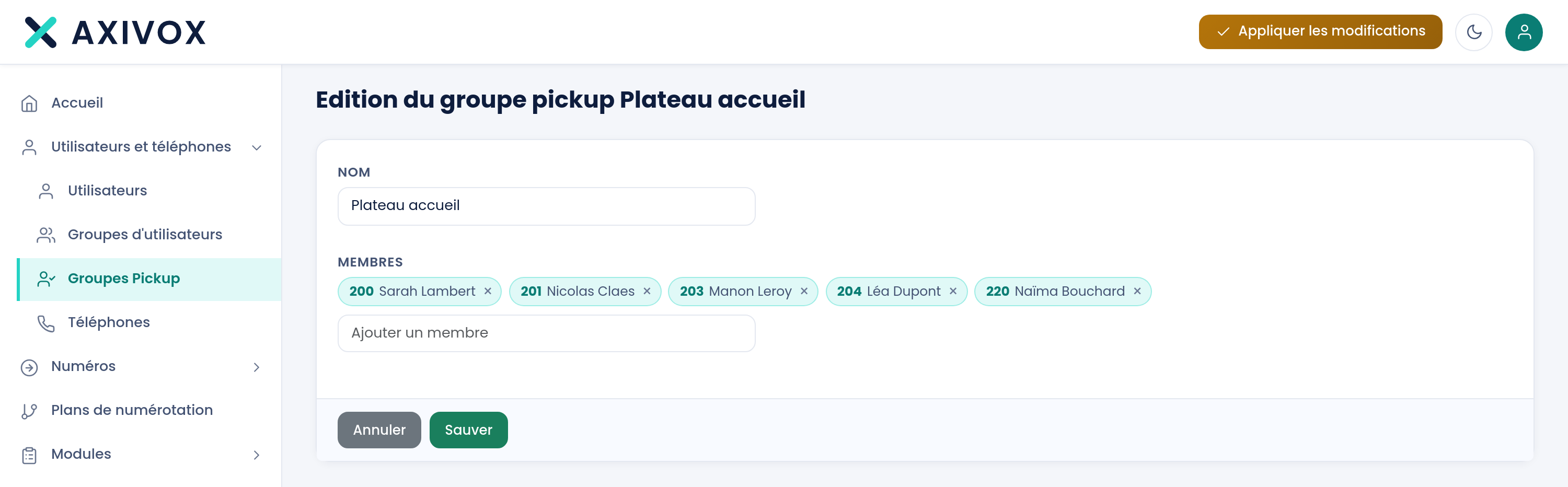
| Members | the extensions allowed to intercept other members' calls | the group exists and allows no one |
Step by step
- Open Users and phones, then Pickup groups.
- Click Add a group.
- Enter the Name, for example "First floor open space".
- In Add a member, type at least two characters of an extension's number or name, then choose it from the list. Repeat for each member.
- Click Save.
- If your users want a key rather than a code, open each extension's record, Keys tab, and declare a key of type Pickup.
- Click Apply changes.
- Check: make an extension in the group ring, dial
*8from another extension in the same group, and verify the call transfers over.
If it does not work
**The *8 code does not pick up any call. Both extensions must share the same pickup group, and a group's membership only comes into service once applied. Check the member list, then click Apply changes**.
The phone's Pickup key does nothing. The key must be declared as type Pickup in the Keys tab of the extension's record, and the phone must have reloaded its configuration since the change was applied. Dialing the *8 code on the keypad lets you tell the two causes apart: if it works, the group is fine and the key is at fault.
The wrong call gets picked up. With *8 alone, you do not choose which of the calls currently ringing gets picked up. When several ring at the same time, dial *8 followed by the number of the extension whose call you want.
A member never intercepts anything. Check that they are indeed listed among the group's members, and not only in a user group of the same name. These are two different screens, and one does not imply the other.