Tagging a call
One touch on a pill, during the conversation, and the call carries the tag: nothing to fill in afterwards, and nothing forgotten.
At a glance
| Where | under the controls of the call card, as soon as the call is established |
| What is offered | the tags of your company that the user is allowed to apply |
| Several tags | yes, on the same call |
| Removing a tag | a second touch on the pill |
| Beyond six | a +N button opens the rest |
| Right required | Call tags or Call list, on the user's record |
| Where you find them again | in the Call list of the portal, and as a criterion on the Call events page |
How it works
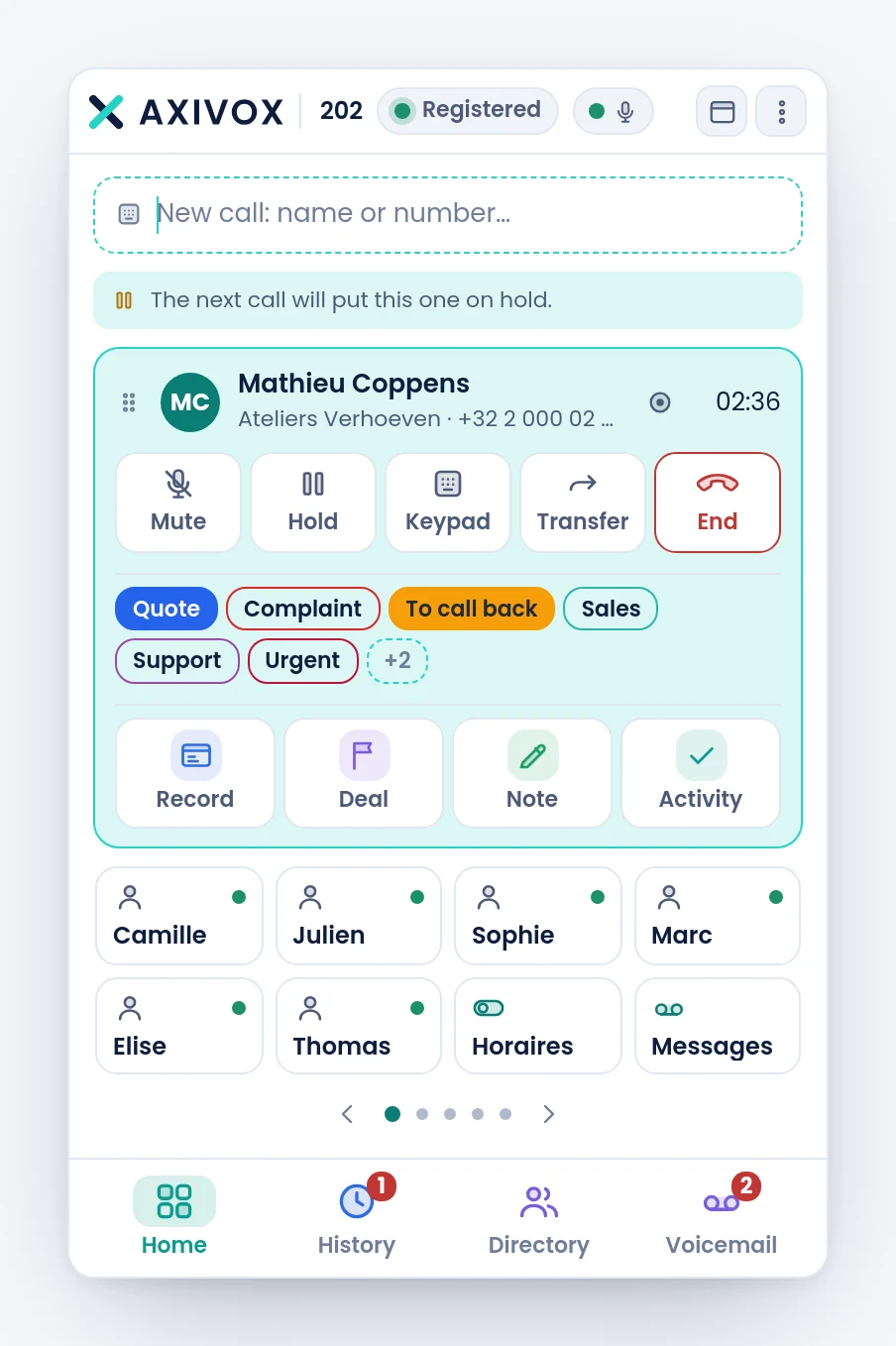
When you pick up, a row of pills appears under the controls of the card, just before the CRM gestures. Each pill is a tag of your company. A touch applies it: it takes its colour, and the call carries it. A second touch removes it.
The tags applied stay lit as long as the card is open, and the switch is immediate. If the server refuses, the pill goes back to its previous state rather than let you believe the tag is applied.
The order of the pills never changes: a pill you have just applied does not jump to the front, so you cannot click the wrong one. Beyond six, the +N button opens the others. A tag that is applied stays visible even beyond six.
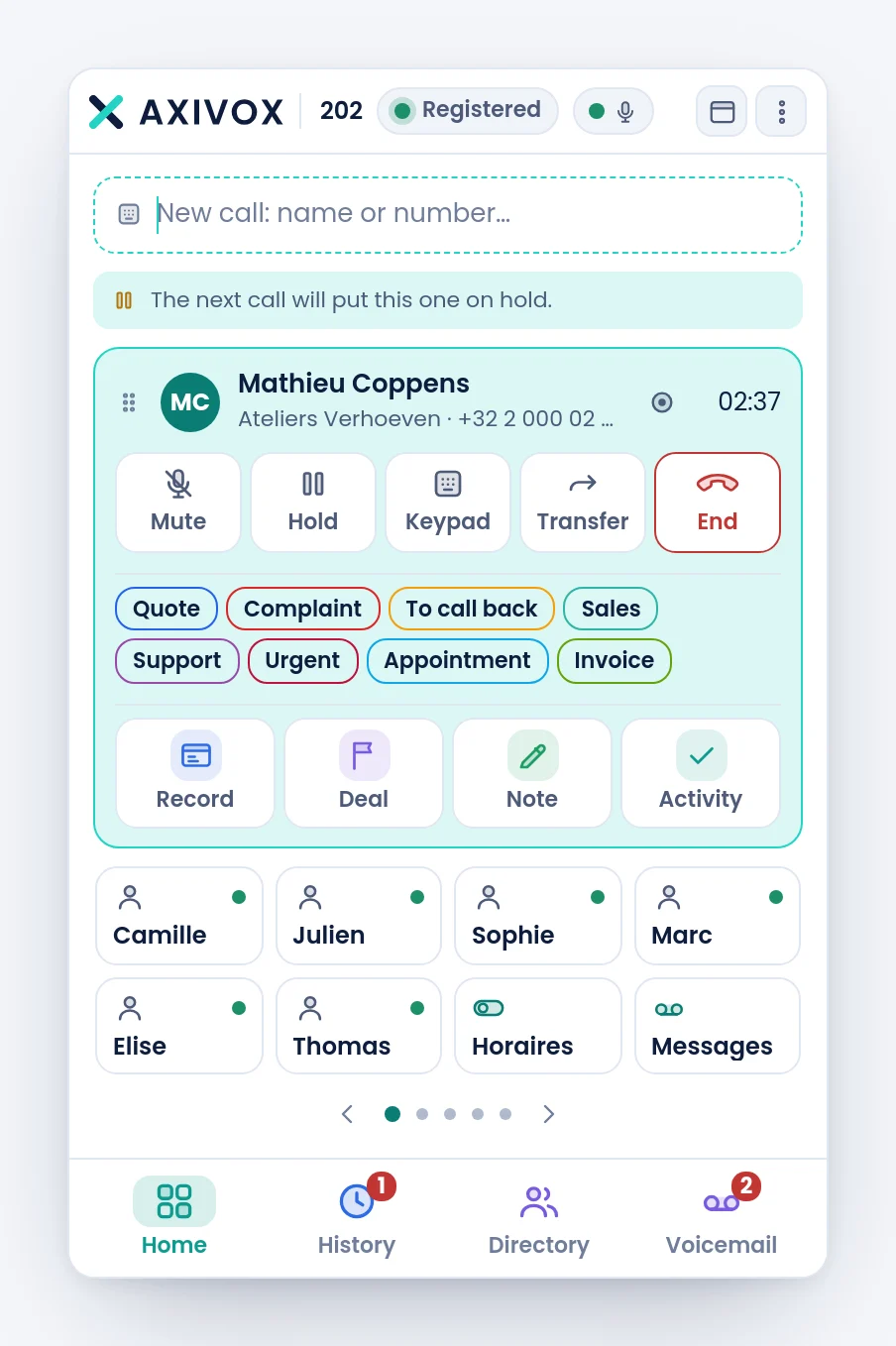
The tooltip of the +N button says "Tag this call". The choice closes with the call.
The pills only exist on an established call: not while it rings, and not on a call you did not take. They apply in both directions, for a received call as for a placed one. This function only exists in the softphone, not on a desk phone.
What becomes of the tag
The tag is added to the call in your company, like those that the dial plan applies:
- it shows in the Tags column of the Call list of the portal, once the call has ended, and filters the list;
- it counts as a criterion for a rule on the Call events page: a tag applied by the user during the call can trigger an email or a write to Odoo.
A tag applied by the dial plan cannot be removed from the softphone.
Step by step
- Have the tags created in Modules, Call tags of the portal, with the The user, during the call box ticked. See the page Call tags.
- Check that your user record has the Call tags or Call list right.
- Open the softphone, or reload it if it was already open.
- Take a call. The pills appear under the controls.
- Touch the one that fits, while you talk: that is the right moment, you know what it is about.
- Touch it again to remove it if you made a mistake.
- Hang up. There is nothing else to do.
If it does not work
I see no pill. Go through these points: the call is established, the company has defined at least one tag with The user, during the call ticked and active, and your record has the Call tags or Call list right. Without this right, the list is refused and the pills disappear without a message.
A tag created a moment ago is not there. The softphone reads the list when it connects. Reload the page, or sign out and sign in again.
I click and the pill goes back to its state. The server refused the tag, or the connection dropped for a moment. Try again. If it persists, ask your administrator whether the tag is still active.
Some tags are missing from the row. Beyond six, they are behind the +N button.
I cannot remove a tag. It was applied by the dial plan, not by a user. Only a user can remove what a user applied.