Signing in to the softphone
Two fields, and one confusion that costs almost everyone their first attempt: the softphone asks for your Axivox account, not your SIP credentials.
At a glance
| Username | your extension, an at sign, the short name of your company: 202@yourcompany |
| Password | the one of your Axivox account, the same that opens the portal |
| Where that password is set | portal, user's record, Permissions tab |
| What not to type | the SIP password from the SIP credentials tab |
| If you type it anyway | Invalid credentials, with no further explanation |
| The SIP secret | it arrives on its own after sign-in. You never type it |
| Two-factor | a third field Authentication code, when it is enabled on your account |
| Signing out | window menu, entry Sign out |
How it works
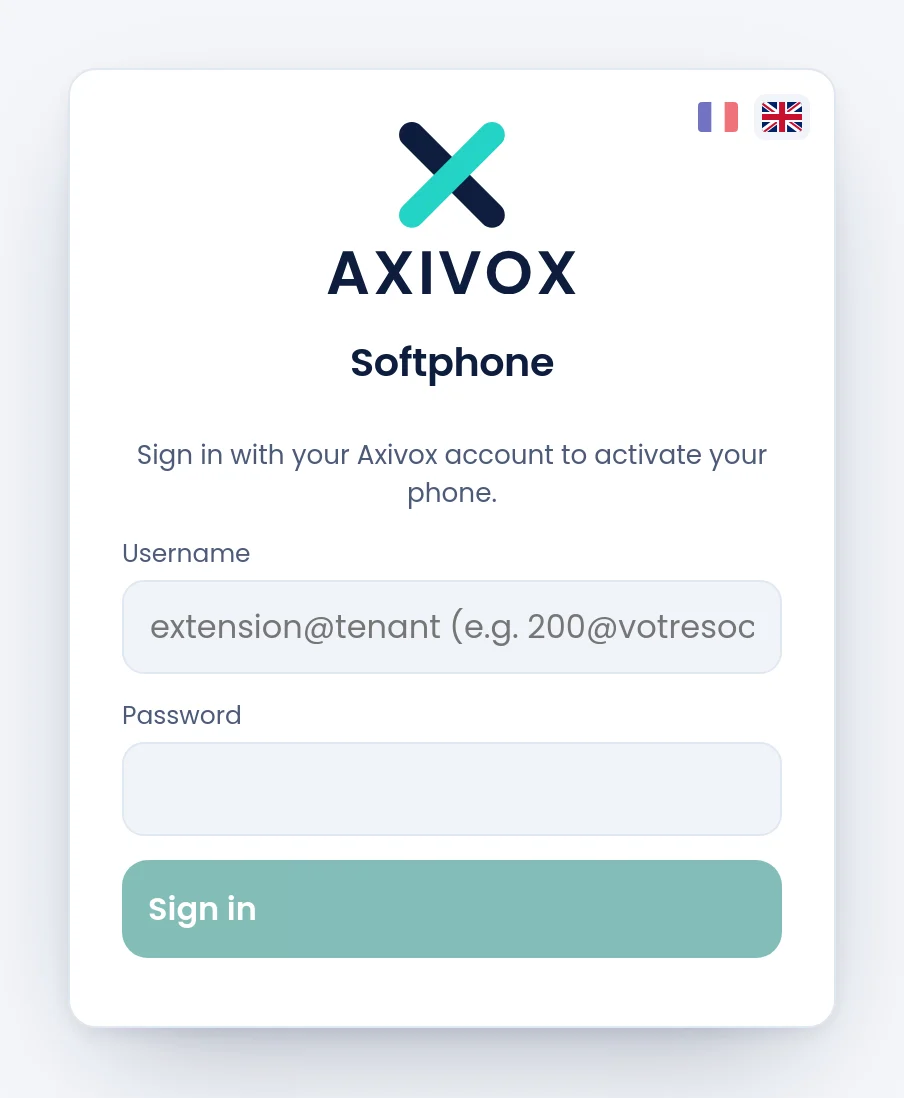
The softphone does not connect straight to the telephony: it connects to your Axivox account, exactly as the portal does. That account says who you are, which extension you carry, which keys you have and which numbers you may present when calling out.
Once that is done, the softphone receives on its own everything it needs to take the line, SIP secret included. That is why you never have to copy a secret: it does not pass through your hands, it does not sit in a saved password, and it is never displayed.
The username reads left to right like an address: the number of your extension, then the short name of your company. That short name is the one already visible in your SIP domain, yourcompany.axivox.com, and in your portal address.
The trap, and it is not obvious
In the portal, a user's record carries two passwords, in two neighbouring tabs. They do not do the same thing, and only the first one opens the softphone.
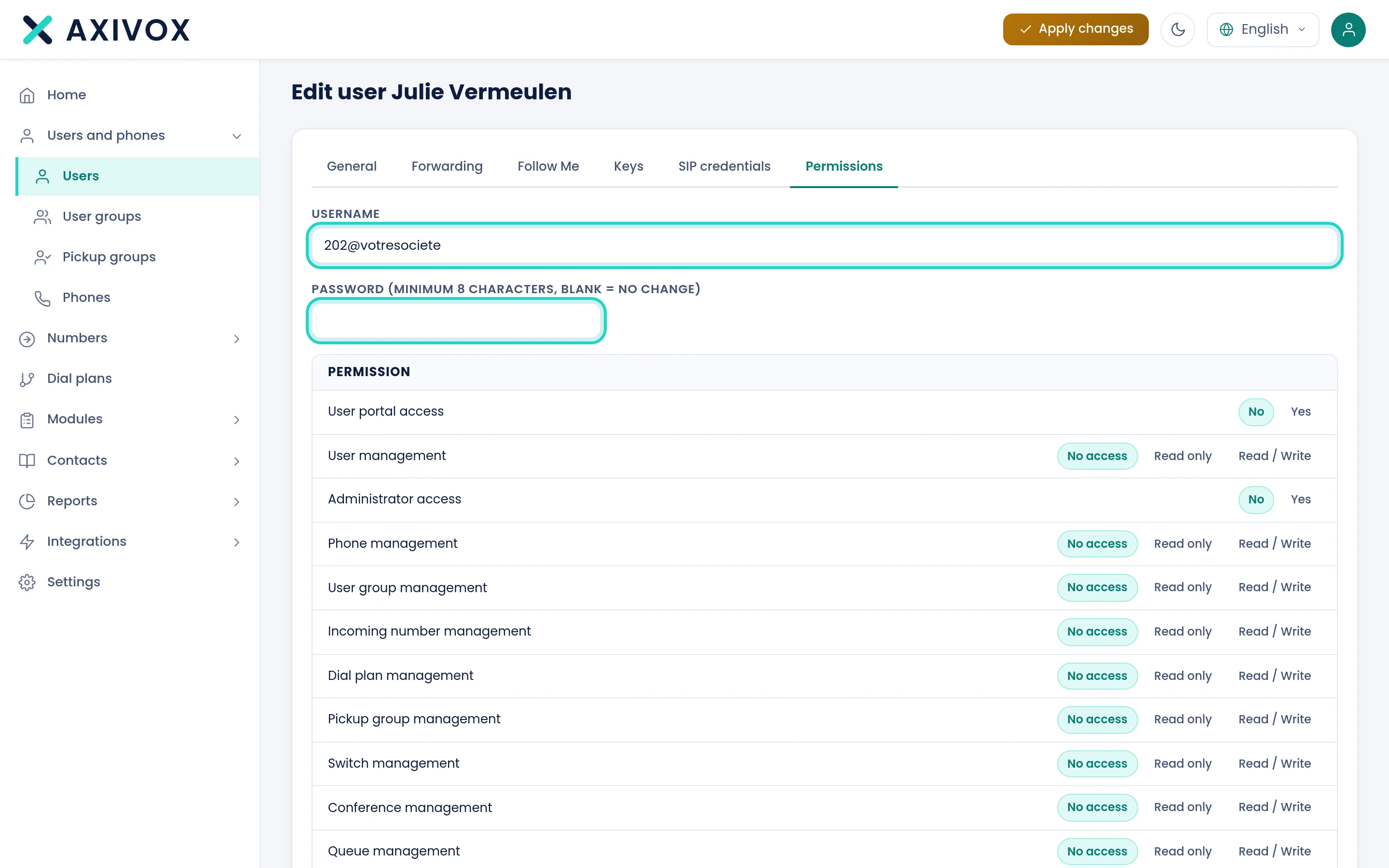
The Permissions tab carries the Username, read only, which is exactly what goes into the softphone's Username field. Just below it, the field Password (minimum 8 characters, blank = no change) is the account one. That is the one.
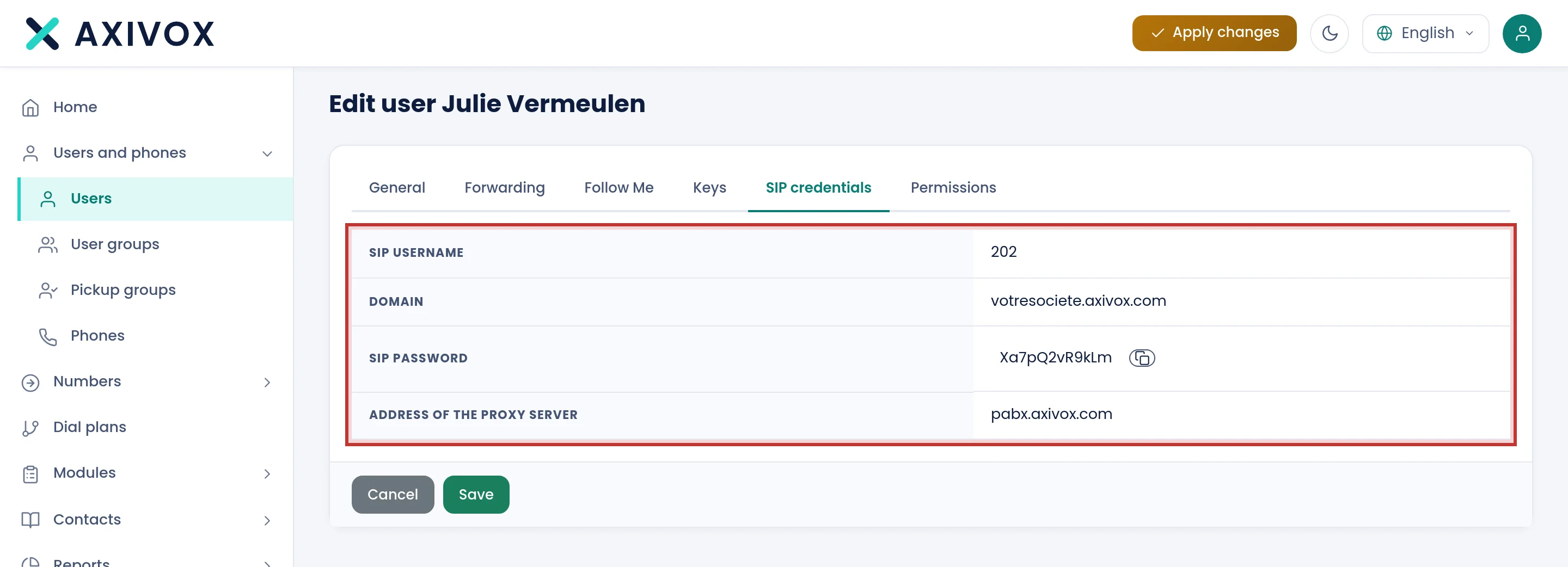
The SIP credentials tab carries a SIP password with a Copy button next to it, which makes it very tempting. It only serves a desk phone of another brand, or third-party software, to register on the telephony. The Axivox softphone does not want it.
What to type
| Field | What is expected | Where to find it |
|---|---|---|
| Username | extension@company, for example 202@yourcompany | portal, user's record, Permissions tab, Username field |
| Password | the password of that extension's Axivox account | set by your administrator in the same tab, or chosen by you in Change password |
| Authentication code | six digits, from your authenticator application | only appears when two-factor authentication is enabled on your account |
Step by step
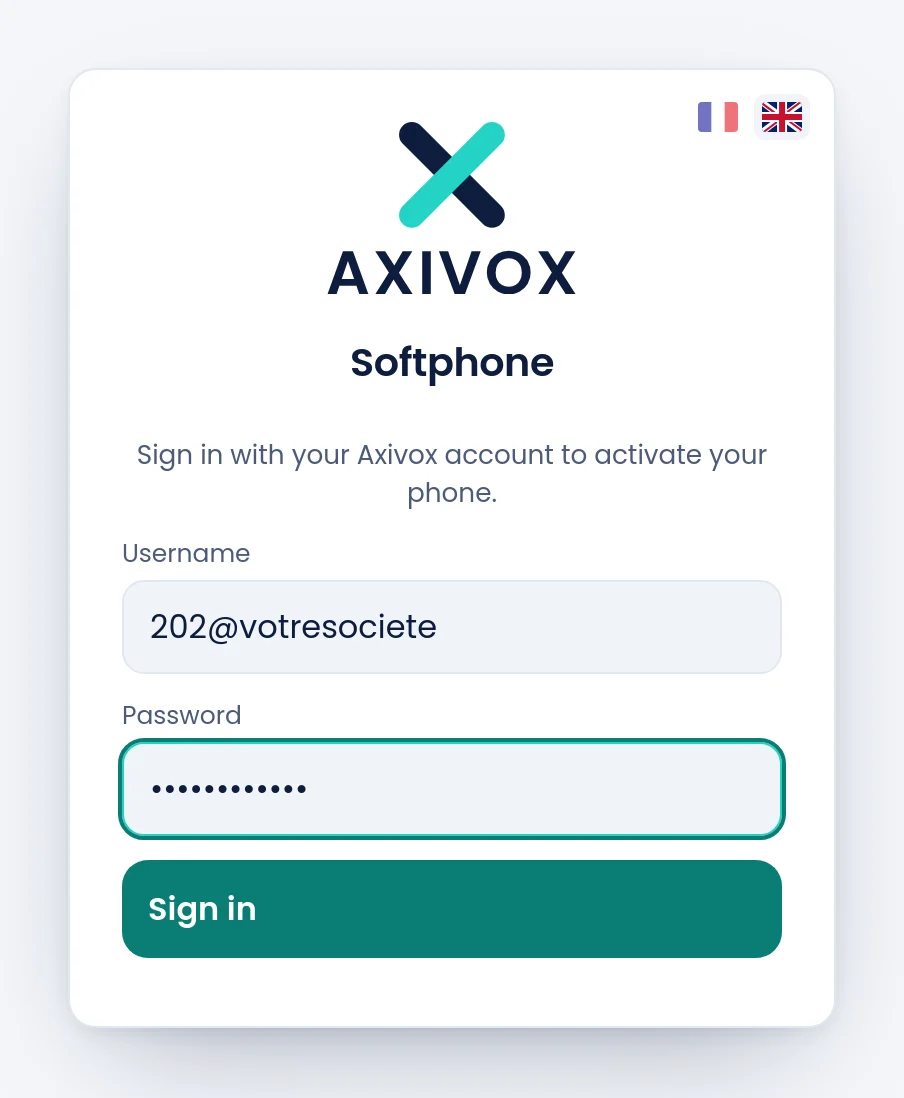
- Open phone.axivox.com.
- In Username, type your extension number, then
@, then the short name of your company. No spaces. - In Password, type the password of your Axivox account, the one that opens the portal.
- Click Sign in. The button stays grey until both fields are filled.
- If two-factor authentication is on for your account, an Authentication code field appears. Type the six digits and confirm.
- Check: the softphone window opens and the pill turns to Registered after a few seconds.
If it does not work
"Invalid credentials".
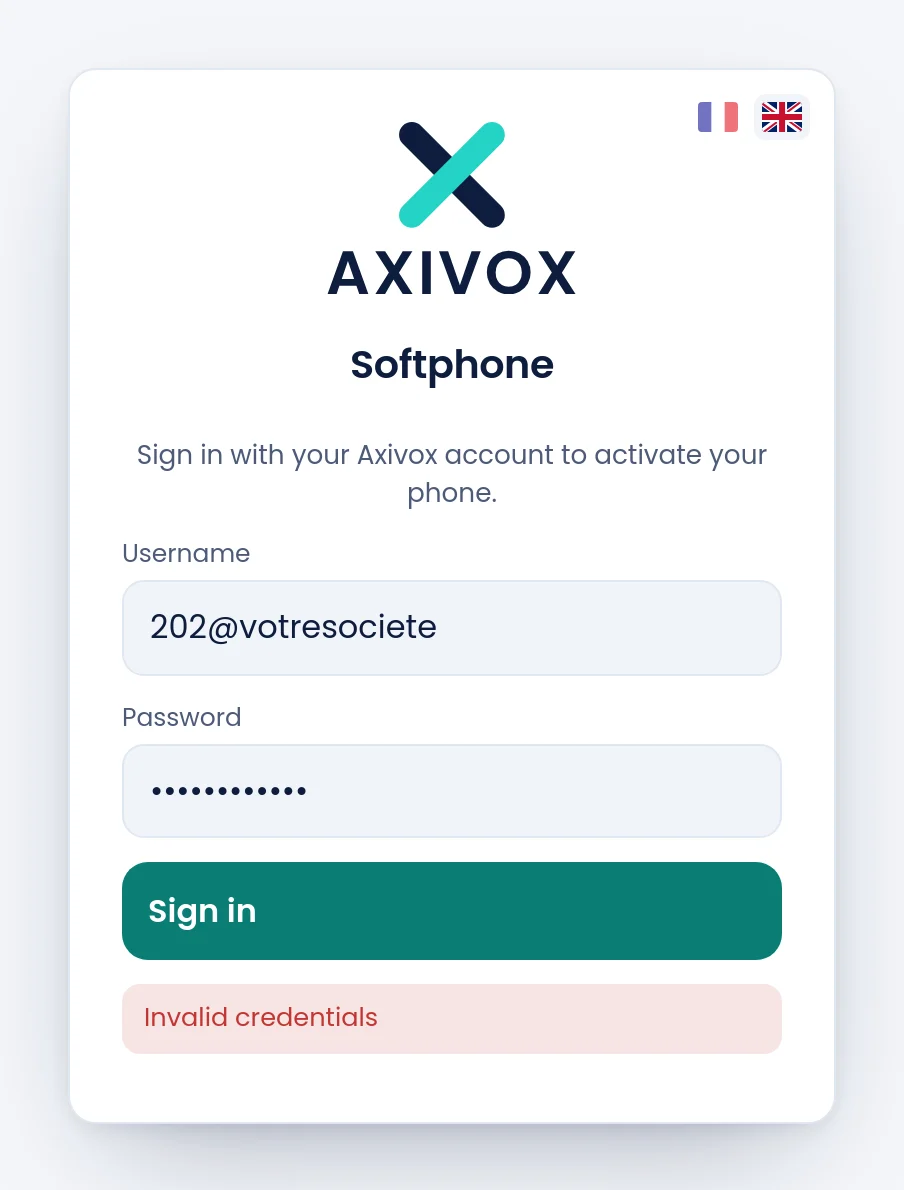
The message is the same for every cause, so go through them in this order. First: did you type the SIP password instead of the account one? By far the most frequent cause. Then: does the username really carry the at sign and the company short name, rather than your email address? Finally: was the password copied with a trailing space, which a copy and paste happily brings along?
"Authentication code required". Two-factor authentication is on for your account. The field appears under the other two after the first refusal: type the six digits from your authenticator application, without spaces, and confirm again.
Sign-in succeeds, but the window stays empty and no line is taken. You signed in with the administrator account of the company, the one whose username is the short name alone, with no at sign and no extension number. That account opens the portal but carries no extension: there is no line to activate. Sign in again with a username of the form extension@company.
I do not know the short name of my company. It is written in the SIP credentials tab of your record, in the Domain field, just before .axivox.com. It is also the name your administrator uses to open the portal.
My administrator says a password was set, and it does not work. The Password field of the record is left blank by default, and blank means "change nothing". A record saved without touching that field changes no password. Ask them to reopen the record, type the password, then Save.
I was signed in, and I am being asked for my credentials again. Your session expired, or your password was changed from the portal. Sign in again. If this happens several times a day, report it: that is not the expected behaviour.