Voicemail boxes
Create the shared mailboxes for your installation, say where their messages are sent by email, and choose which extensions will see them in their softphone.
At a glance
| Where | Modules, Voicemail boxes |
| What the list contains | shared boxes only, with their name and email address |
| An extension's mailbox | created and removed from the user's record, Voicemail box setting |
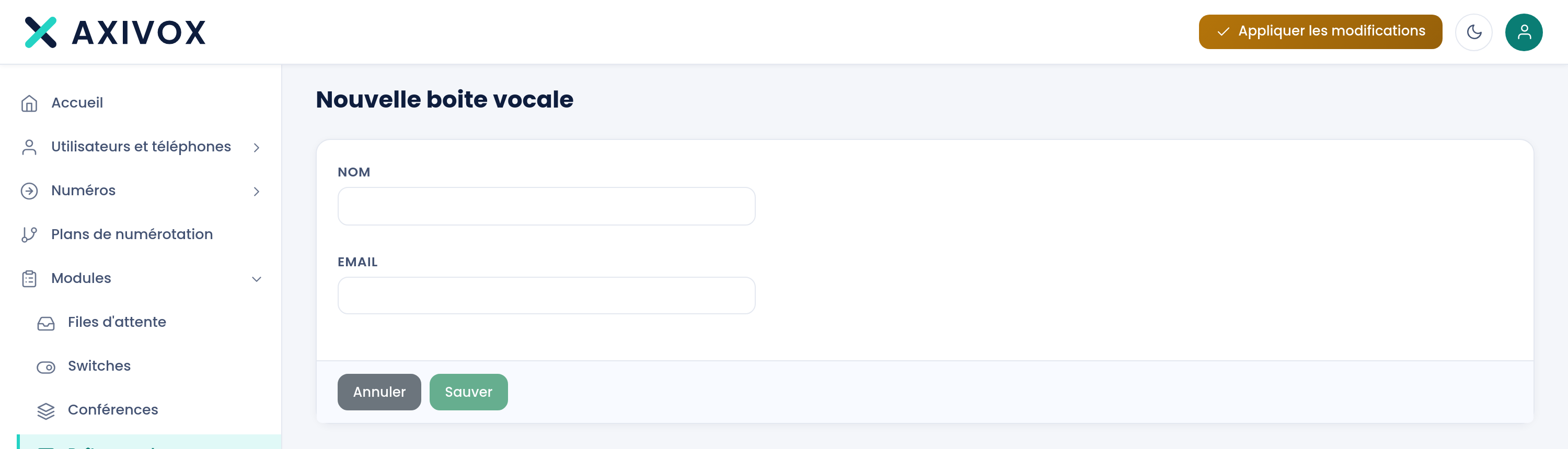
| Fields on creation | Name and Email, both required |
| Settings available afterward | Who can view the messages and When someone listens to a message |
| Where it's used | the Voicemail box module of a dial plan, or a number's destination |
| Right required | Voicemail box management |
How it works
A shared box doesn't belong to any extension. It acts as a common drop point, called from a dial plan by the Voicemail box module, or set directly as a number's destination. It's the only kind of box this screen manages: a user's personal mailbox is created and removed from their record.
Every message left is sent by email to the box's address. This sending doesn't depend on any other setting and never stops.
Two settings added at the end of August round out this sending, and only appear once the box has been created, when it's reopened.
Who can view the messages lists the extensions that will see this box's messages in the Voicemail tab of their softphone. The screen's help text puts it this way: "These extensions will see this box's messages in their softphone. The email configured above still goes out in every case." As long as the list is empty, the screen shows "No one yet: the box receives its messages and sends its emails, but no softphone displays them."
When someone listens to a message decides the scope of the "read" mark. With It's read for everyone, opening it on one extension clears the bold on all the others. With It stays unread for the others, each person keeps their own read state. The screen's help text notes the intended use: "On a shared box, marking read for everyone avoids several people calling the same contact back."
Listening itself happens in the softphone, and the "Visual voicemail" page describes it in detail.
What to fill in
| Field | What's expected | If you leave it blank |
|---|---|---|
| Name | the box's name, the one shown next to the caller in the softphone | the save is refused, with "'Name' cannot be empty" |
| a valid address, which will receive every message left | the save is refused, with "Invalid email address" | |
| Who can view the messages | the allowed extensions, searched by number or name | the box receives and sends its emails, no softphone displays it |
| When someone listens to a message | It's read for everyone or It stays unread for the others | the setting defaults to It stays unread for the others |
Steps
- Open Modules, then Voicemail boxes.
- Click Add a voicemail box.
- Enter the Name and Email, then click Save. You return to the list.
- Reopen the box you just created: the two sharing settings are now there.
- Under Who can view the messages, type at least two characters in Search for an extension to allow and choose the extension. Repeat for each one. The cross on a tag removes the extension.
- Set When someone listens to a message, then click Save.
- Point the box to where it should receive calls: the Voicemail box module of a dial plan, or a number's destination.
- Click Apply changes.
- Check: call the number involved, leave a message, verify it arrives in the mailbox by email, then that it appears in the Voicemail tab of an allowed extension's softphone.
If it doesn't work
The two sharing settings don't appear. They only show up when reopening an existing box, never while creating one. Save the box first, then reopen it from the list.
The box I'm looking for isn't in the list. This screen only shows shared boxes. An extension's personal box is set on its record, under Voicemail box, and offers neither the list of allowed extensions nor the read setting.
The save is refused: "Invalid email address". The Email field is checked on every save, both creation and editing. An empty or malformed address blocks saving, even when you only came to change the list of allowed extensions.
An allowed extension sees nothing in its softphone. Check that it's listed under Who can view the messages for this box: the list starts empty. Then check that messages have actually been left since it was added.
A colleague listened to a message and it's still bold for me. The box is set to It stays unread for the others. Open it and switch When someone listens to a message to It's read for everyone.
Visual voicemail, product side
See the features