Transferring a call
Passing a call to a colleague, announcing it or not. Two gestures to choose from, and a call that is still ringing can be transferred too, without even answering.
At a glance
| Two ways to start | the Transfer button of the card, or dragging the card onto a key |
| Choosing the target | in the command bar, which turns into Transfer to… |
| Then | Transfer directly, or Announce first |
| Announce first | you talk to the colleague, the caller waits, you finish with Complete the transfer |
| Changing your mind | Back to the caller, or Cancel in the choice menu |
| A ringing call | can be transferred too, without answering, and only directly |
How it works
A transfer happens in two moves: say to whom, then say how.
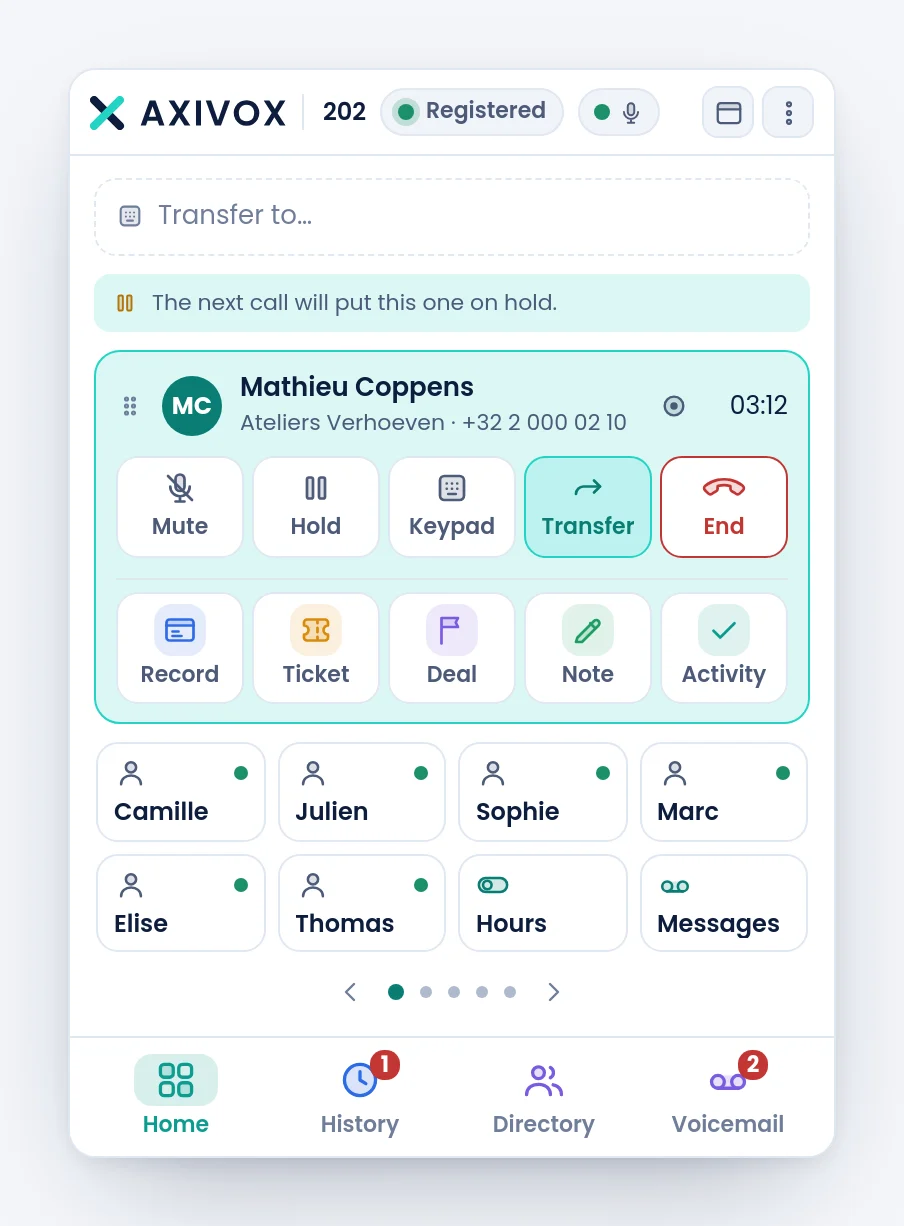
The Transfer button of the card puts the command bar in target mode: its text becomes Transfer to…, and the search takes over. Type a name or a number, exactly as you would to call.
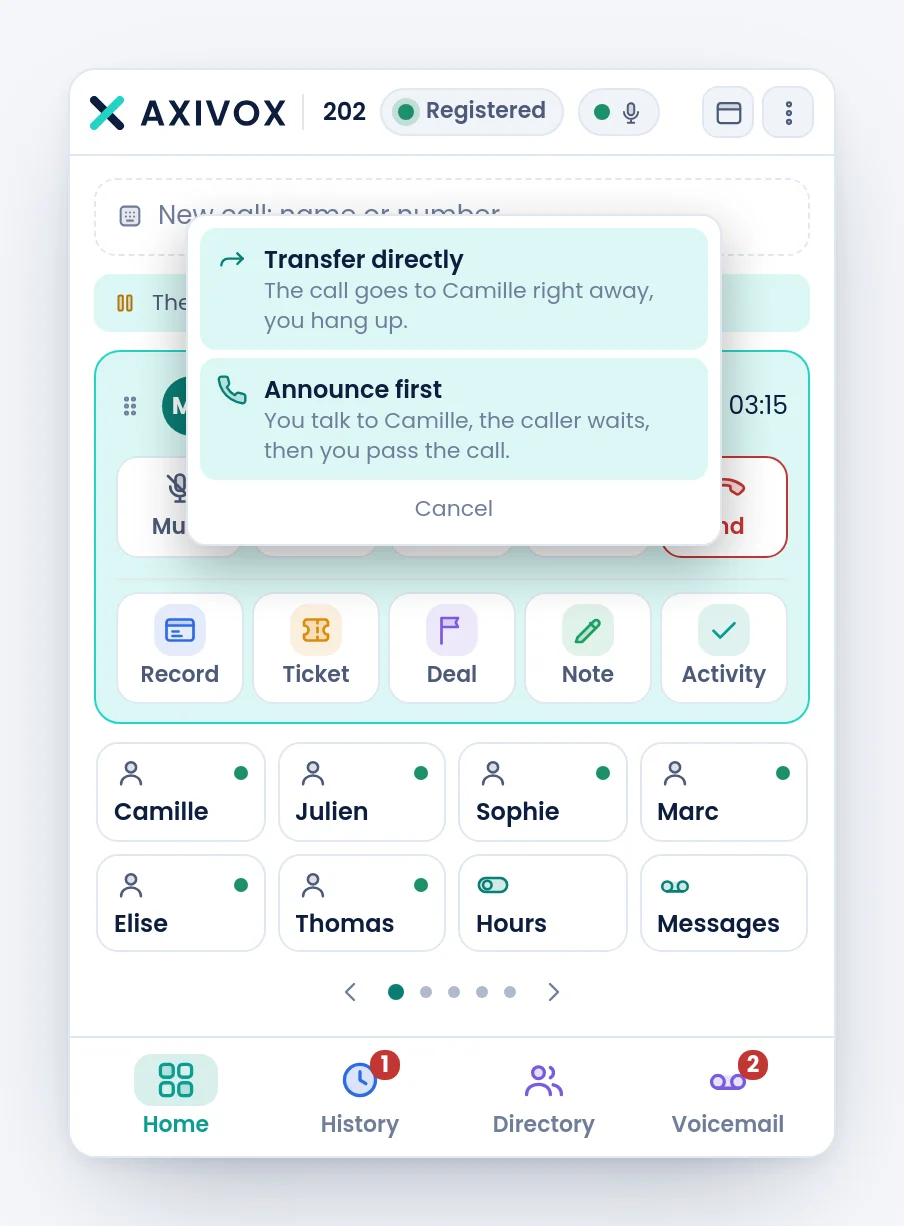
Once the colleague is chosen, a menu asks the only remaining question, and asks it in plain words rather than in jargon.
| Choice | What happens |
|---|---|
| Transfer directly | the call goes to the colleague right away, and you hang up |
| Announce first | you talk to the colleague, the caller waits, then you pass the call |
| Cancel | nothing leaves, you stay on the line |
After Announce first, two buttons replace the menu: Complete the transfer, which puts the colleague through to the caller and takes you out, and Back to the caller, which drops the transfer and gives you the conversation back.
Dragging the card onto a key
The other gesture is a single movement: take the call card by its handle, to the left of the name, and drop it on the colleague's key. Its tooltip says so: Drag onto a key to transfer.
While you drag, the keys that cannot take the call fade, and the one you hover lights up. On drop, the same menu appears.
Transferring a call that is still ringing
A call you have not answered can be transferred too: drag its green card onto a key. A label Direct transfer to … appears on the targeted key to confirm the destination before you let go.
Step by step
- During the conversation, click Transfer in the card. The bar shows Transfer to….
- Type the name or number of the colleague, and pick them from the list.
- Choose Transfer directly if you have nothing to say, Announce first otherwise.
- If you announce: talk to the colleague, then click Complete the transfer. If they refuse, click Back to the caller.
- Check: your card disappears when the transfer is done. If it stays, the call is still with you.
If it does not work
The bar shows "Transfer to…" and I did not want to transfer. Press Escape, or clear it with the cross. The call has not moved.
I drag the card and nothing happens. Take it by its handle, the small grip to the left of the name, not by the middle of the card. A call already on hold cannot be dragged: resume it first.
The choice menu closes on its own. A click outside closes it. Start again and click one of the two lines directly.
I announced the transfer, the colleague refused, and I hung up out of reflex. Use Back to the caller rather than End: the first gives you the conversation back, the second hangs up your own leg and leaves the caller waiting until the server releases them.
The colleague says they got the call without knowing who it was. A direct transfer carries the call, not what you know. If the context matters, announce first.
I want to transfer to an external number, not to a colleague. Type the full number in the bar instead of a name. A transfer takes an external destination just as well as an internal one.