Phones
The physical devices. You register a phone by its MAC address, assign it to an extension, and it configures itself the next time it starts up.
The list
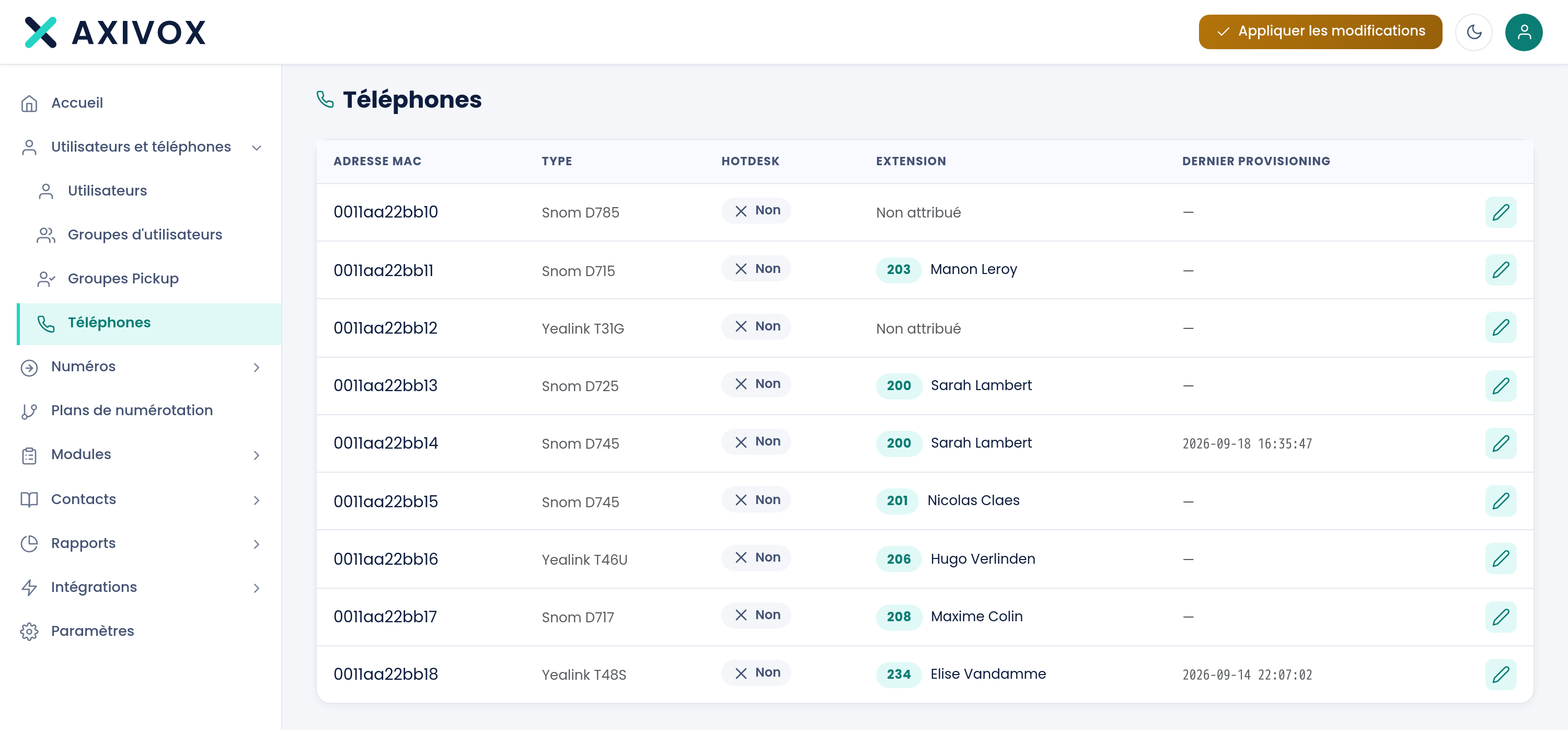
| Column | What it shows |
|---|---|
| MAC address | The device's unique identifier, printed under the unit |
| Type | The model, for example Snom D715 or Yealink T46U |
| Hotdesk | Whether the device is shared between several people |
| Extension | The extension assigned to this device |
| Last provisioning | The last time the device fetched its configuration |
A device's record
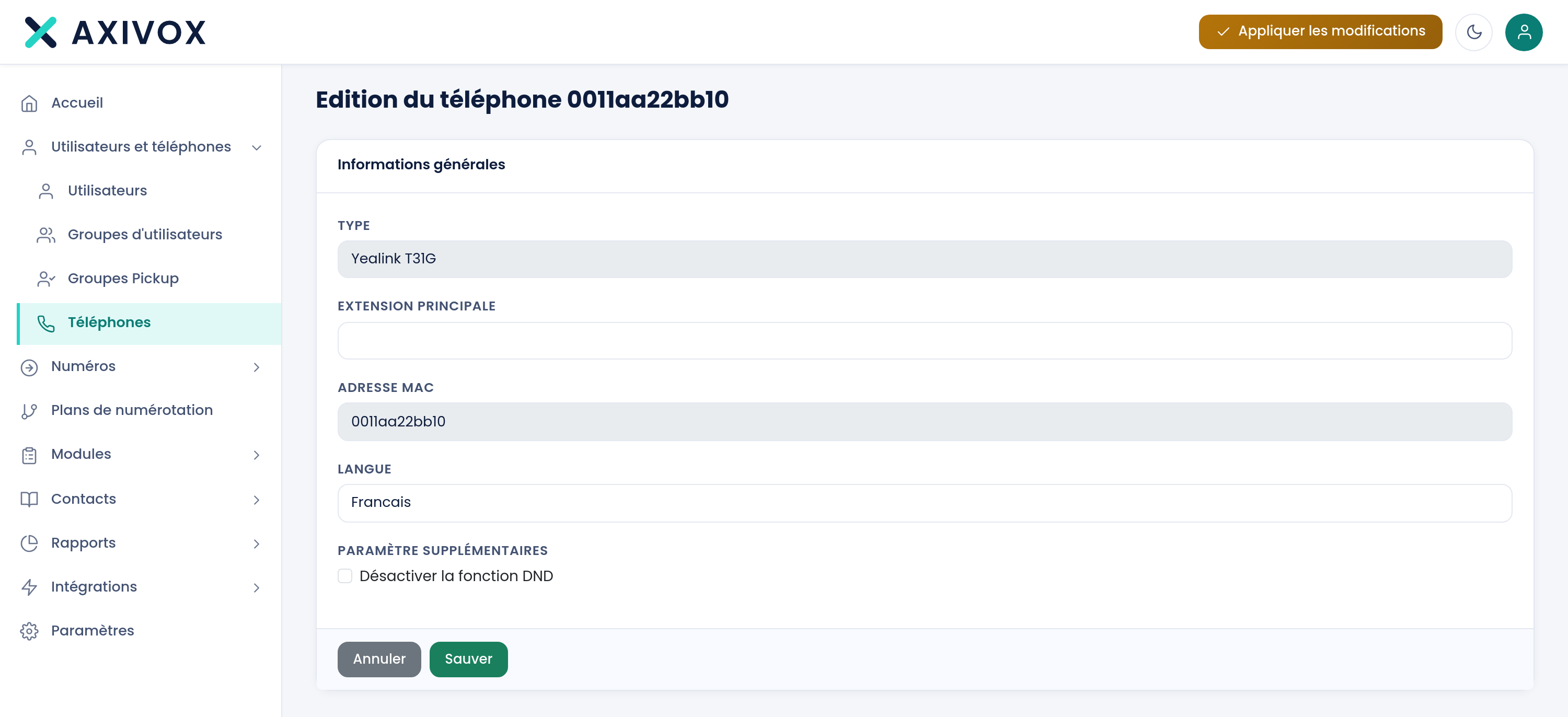
Five settings, no tabs.
| Type | The device's model |
| Main extension | The extension assigned, to choose from the list |
| MAC address | The device's identifier |
| Language | French, English, or Spanish |
| Disable the DND function | Prevents the user from enabling do-not-disturb mode |
Adding a phone
- Note the MAC address under the device.
- Create the record, choose the model and the extension to assign.
- Save, then Apply changes.
- Plug in the phone, or restart it if it was already plugged in.
The device then fetches its configuration on its own: its number, its name, its keys, its language. You have nothing to enter on the phone itself.
Disabling the DND function
Do-not-disturb mode is convenient for the user and a hassle for the company: an extension left in DND no longer rings, and nobody notices until a customer complains.
Compatible phones and automatic provisioning
See the features