The softphone keys
Forty slots, the presence of your colleagues live, and an editor that lets you create your own speed dials without going through your administrator.
At a glance
| How many | forty slots, in pages of eight in the Normal display |
| In the Receptionist display | twenty-four at once, in a panel on the left, in groups you can name |
| A click on a key | calls, or triggers the function of the key |
| Editing a key | the pencil that appears on hover. Also: right click, or long press |
| What you can create | Speed dial keys |
| What is locked | BLF, Switch and Queue, to be requested from your administrator |
| The green lamp | the presence of a colleague, live |
| Reach | a key created here also applies to your desk phone |
How it works
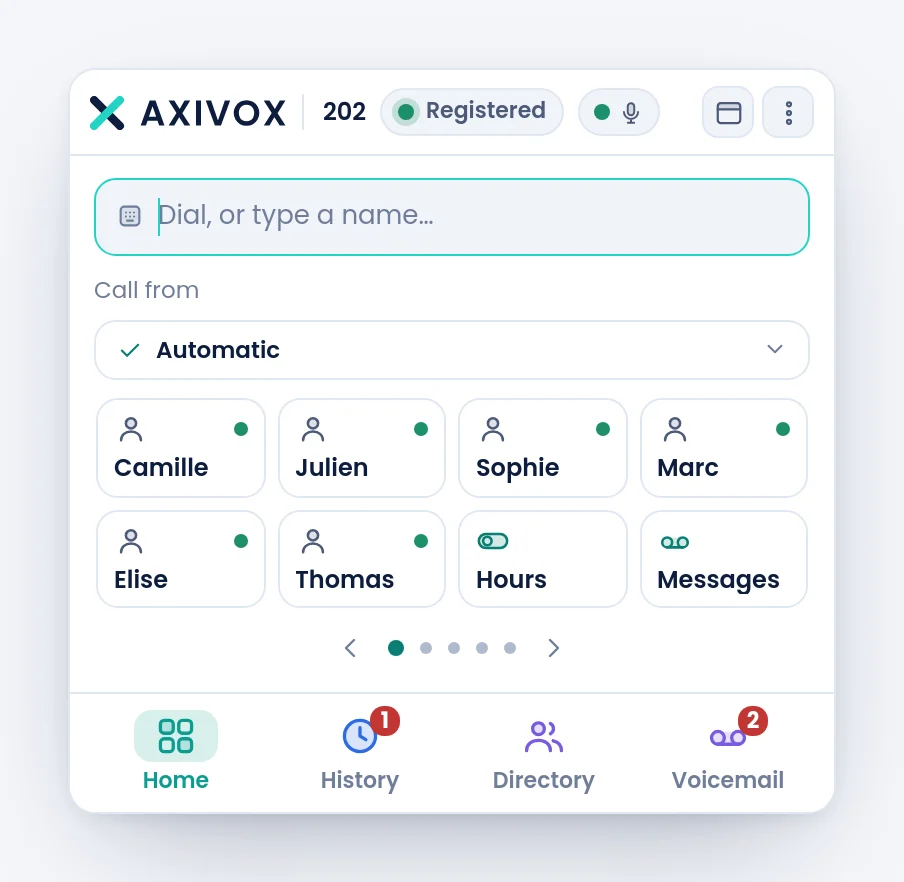
Every key carries an icon that says its nature, a label you choose, and for a colleague a presence lamp: lit when they are free, otherwise ringing or on a call. The presence is pushed by the platform, it is not polled: it changes when it changes.
The keys stay visible during a conversation. That is deliberate: this is exactly when you need them, to transfer or to call a second party.
| Nature of key | What a click does |
|---|---|
| Speed dial | calls the number |
| BLF | calls the colleague, and the lamp gives their state |
| Switch | flips one of your company's switches, open and closed for instance |
| Queue | logs you in or out of the queue |
| Voicemail | calls your mailbox |
| Record | starts or stops the recording of the call in progress |
| Do not disturb | flips your status |
| Pickup | picks up a call ringing in your group |
Creating or editing a key
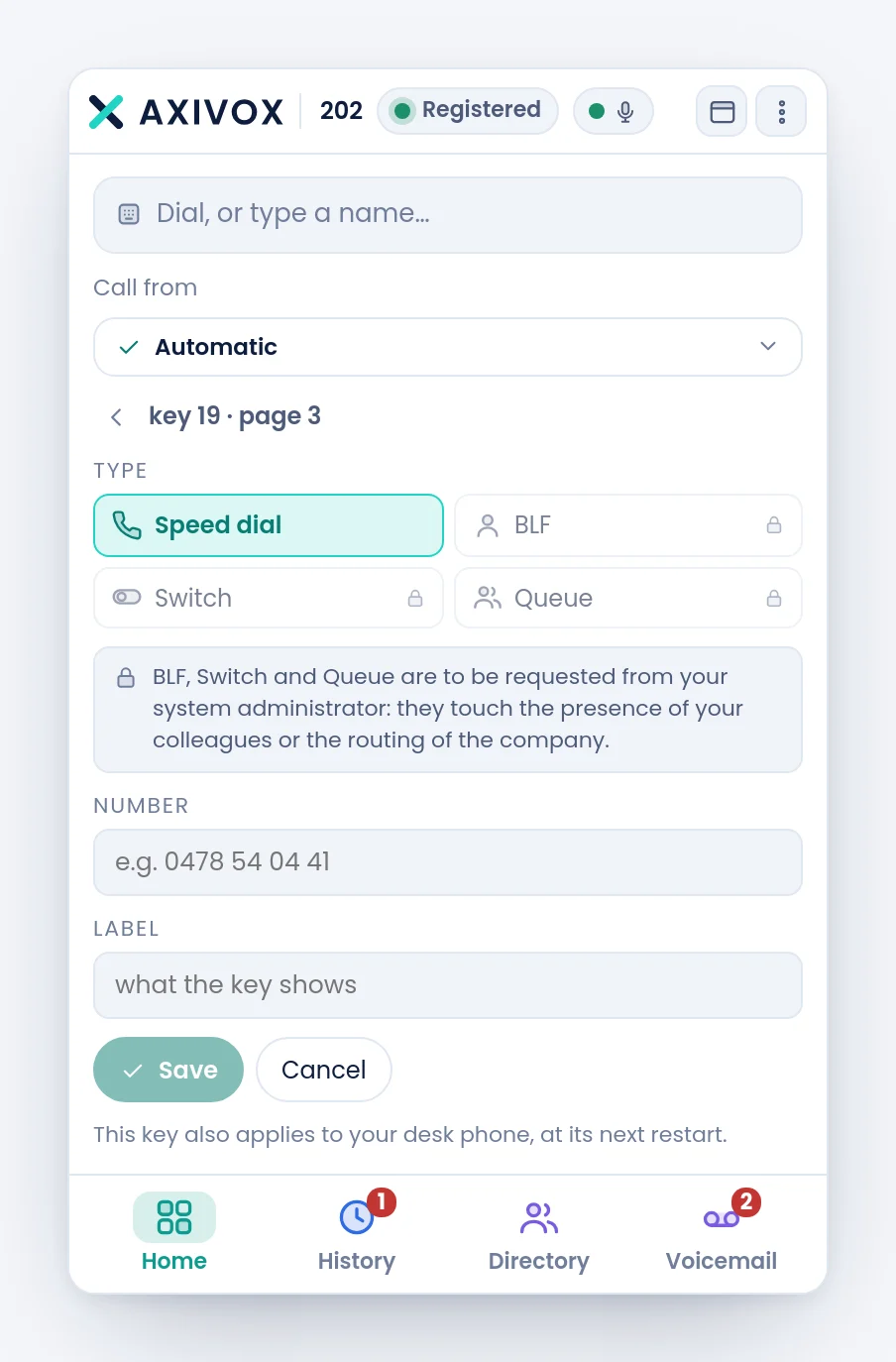
A click on an empty slot opens the editor. On a key that is already filled, it is the pencil appearing on hover, because a plain click has to call.
The editor offers four natures. Only one is open, the other three carry a padlock and the reason is written under them: BLF, Switch and Queue are to be requested from your system administrator: they touch the presence of your colleagues or the routing of the company.
| Field | What goes in it |
|---|---|
| Number | the number to call, internal or external |
| Label | what the key shows |
Filling an empty page at once
An entirely empty page does not stay silent: it offers to fill itself with your most called correspondents, and a Prefill button does it. The keys it lays down are ordinary speed dials, which you can then rename or clear.
The Receptionist display
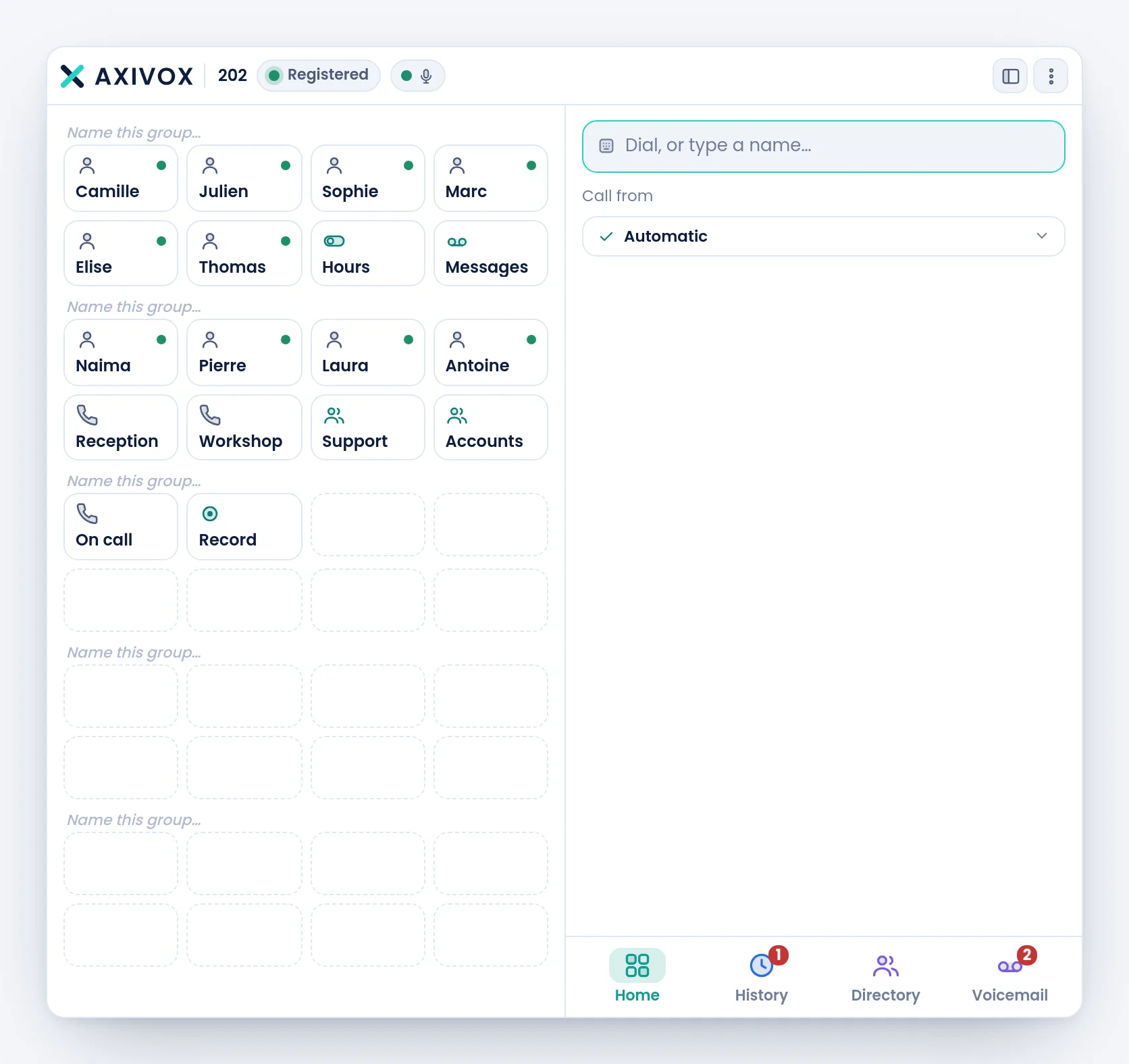
In the Receptionist display, the keys move to the left, twenty-four visible at the same time, split into groups of eight. Every group carries a title you can write yourself, by clicking Name this group….
Step by step
- On the home page, look at the dots under the grid: they say how many pages you have and where you are.
- To create a key, go to a page with free slots and click one of them.
- Leave Speed dial selected, type the Number, then a short Label.
- Click Save. The key appears in its place.
- To change it later, hover it and click the pencil. To clear it, empty its fields in the editor.
- Check: click the key, the call must go to the right number.
If it does not work
I click a key and it calls, when I wanted to edit it. That is the intended behaviour: a click calls. To edit, use the pencil on hover, a right click, or a long press.
The BLF, Switch and Queue natures are greyed out. They are reserved for your administrator, because they touch the presence of your colleagues or the routing of the company. Ask them to lay the key down from the portal, and it will appear here.
A colleague's lamp stays off while they are at their desk. The lamp follows the state of their extension, not their physical presence. An extension that is switched off or not registered has no state to publish.
My key does not work on my desk phone. It will be there at the next restart of the device. The softphone has it right away.
I only see eight keys and I have laid down more. The grid shows eight keys per page in the Normal display. The arrows and the dots under the grid change page. The Receptionist display shows twenty-four at a time.
My key label is cut off. It is longer than the width of the key. Shorten it: the full number stays visible in the tooltip.