Blacklist
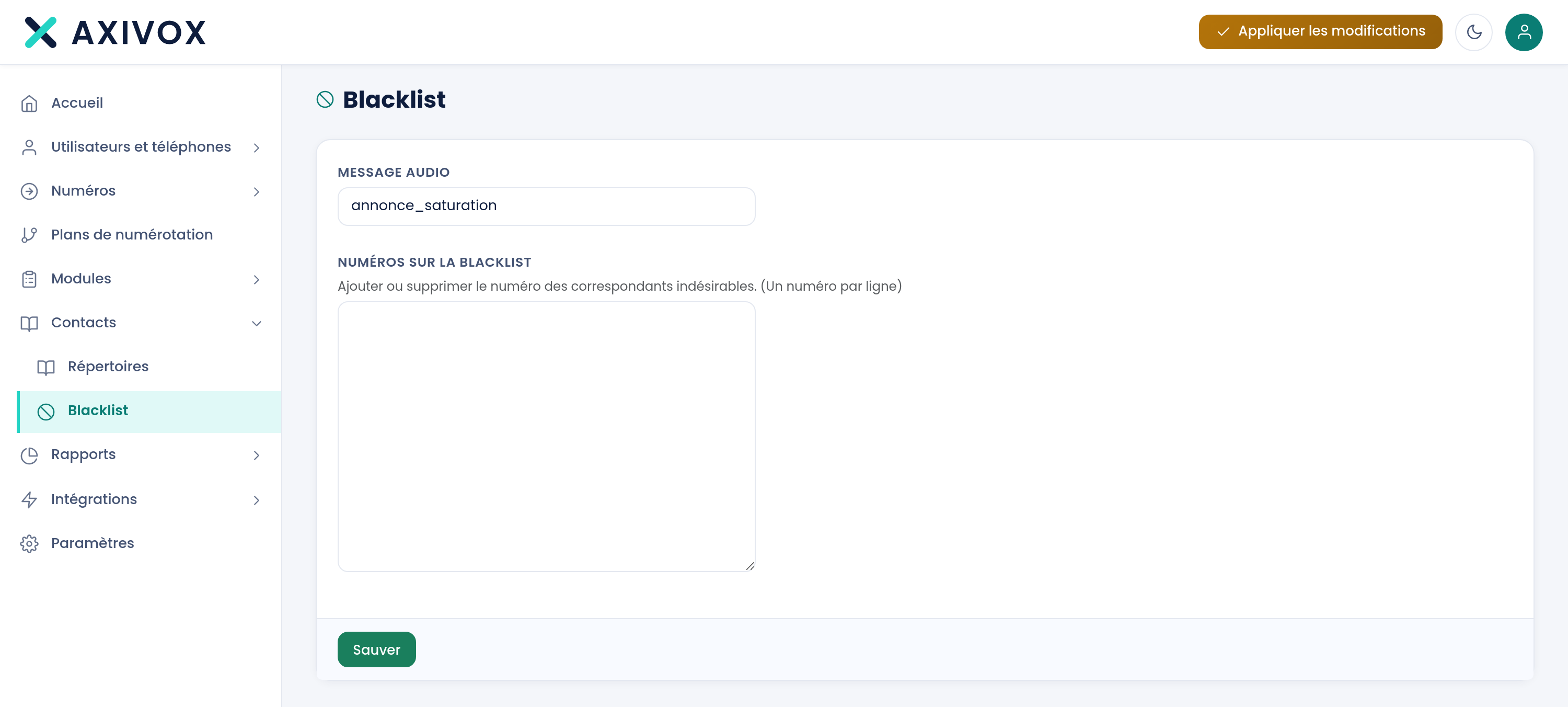
Refuse calls from specific numbers, one per line, and choose the announcement they'll hear. The filtering happens on entry, before your dial plans.
At a glance
| Where | Contacts, Blacklist |
| What it is | the list of numbers whose calls you refuse, for the whole installation |
| Entry | a text box, one number per line |
| Audio message | an announcement chosen from your Audio messages, or "--- None ---" |
| Scope | all your inbound numbers, whatever dial plan they target |
| Takes effect | immediately on save, without Apply changes |
| Right required | Blacklist management |
How it works
When each call arrives, the platform compares the caller's number to your list. If it's on there, it plays the chosen announcement then hangs up. This check happens before your dial plans: a blocked number reaches neither your reception, nor your queue, nor the targeted extension, and it doesn't show up as a missed call.
The list is unique for the whole installation. It can't be set per inbound number or per plan.
Saving replaces the whole list with what the text box contains. In the process, each line is reduced to its digits only: spaces, dots, dashes and the + sign you may have copied in are stripped, empty lines are dropped, and duplicates are kept only once. A number entered as +32 2 555 12 34 is therefore saved as 3225551234, and it's in this form that it will be compared.
The choice of message reuses your list of Audio messages. The first entry, "--- None ---", plays silence: the call is then refused without a word.
It takes effect immediately. Neither the list nor the message go through Apply changes: the next call is already handled according to what you just saved.
What to fill in
| Field | What's expected | If you leave it blank |
|---|---|---|
| Numbers on the blacklist | one number per line, written as your installation sees it arrive | no number is blocked anymore: saving an empty box clears the list |
| Audio message | the announcement played to these callers, chosen from your messages | with "--- None ---", the call is refused with no announcement |
Steps
- Open Contacts, then Blacklist.
- First look up the number in the Call list, and copy it exactly as it appears there.
- In Numbers on the blacklist, add it on its own line. The screen's help text reminds you: "Add or remove the number of unwanted callers. (One number per line)"
- Choose the Audio message to play. The help text specifies: "Select the audio message that will tell your contact that their call is unwelcome."
- Click Save. The message "Blacklist updated" confirms the save.
- Reload the page and check the number is indeed present, reduced to its digits only.
- Check: have someone call your number from the blocked line, and verify the announcement plays and the call then ends.
If it doesn't work
The blocked number still gets through. Compare what you saved to what the Call list shows for that caller: the comparison is on digits alone, and a country code present on one side and missing on the other is enough to make it fail. Copy the number from the call log.
A hidden number still gets through. The check is on the caller's number. A call that presents none matches no line in the list, and this screen can't do anything about it.
The blocked caller hears nothing. The message is set to "--- None ---", or the chosen message has no sound. Open Modules, Audio messages, listen to the message in question, then come back and select it here.
My numbers changed shape after saving. That's the expected behavior: everything that isn't a digit is stripped on save, including the + sign, and duplicates are merged. The list you read back is the one actually used for comparison.
I can't delete an audio message: "This message is used as the blacklist's message". That's the announcement chosen on this screen. Select another message here, or "--- None ---", click Save, then go back and delete the message.