History, voicemail and directory
The three tabs that are not there to call but to find: what happened, what was left for you, and who is who in the company.
At a glance
| History | your calls by day, with three filters and a one-click call back |
| Voicemail | your voice messages, their transcript, and the shared mailboxes |
| Directory | your colleagues, with their extension number |
| The red badges | missed calls of the day not looked at, and unread messages |
| The command bar | filters the list instead of dialling, while you are on these tabs |
The history
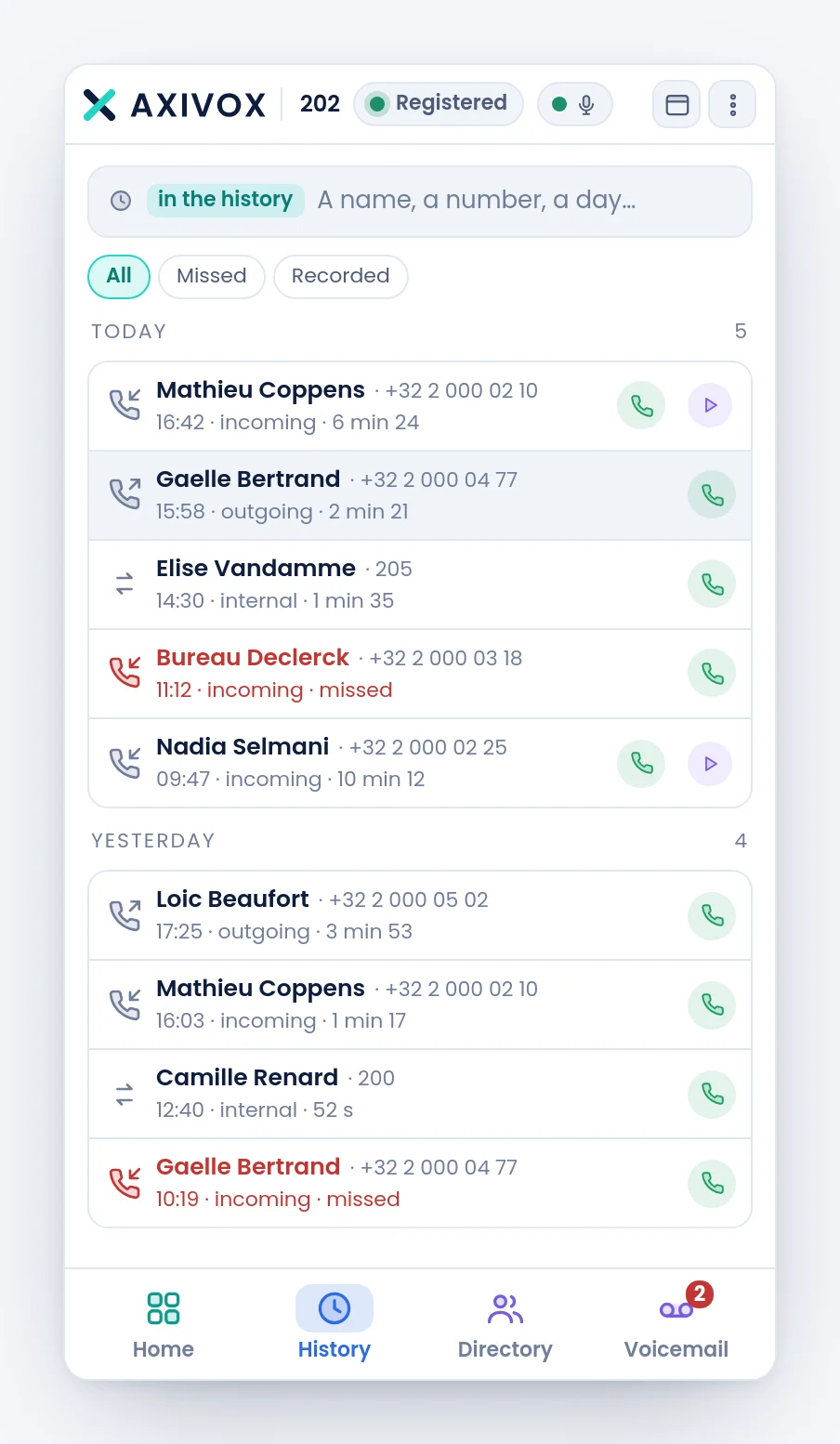
Calls are grouped by day, the most recent at the top, with the number of calls of each day to the right of its title. Today and yesterday are named; beyond that, it is the date.
Every line gives the direction with an arrow, the other party, the time and the talk duration. A missed call is written in red and carries the word missed.
| Filter | What it keeps |
|---|---|
| All | everything |
| Missed | incoming calls nobody answered |
| Recorded | the ones whose recording exists |
The green button at the end of the line calls the person back. On a recorded call, a second button lets you play back the conversation in the window, with nothing to download. When a transcript exists, the unfolded line also offers Summary and Show the transcript.
At the very bottom, Older calls loads the rest.
Voicemail
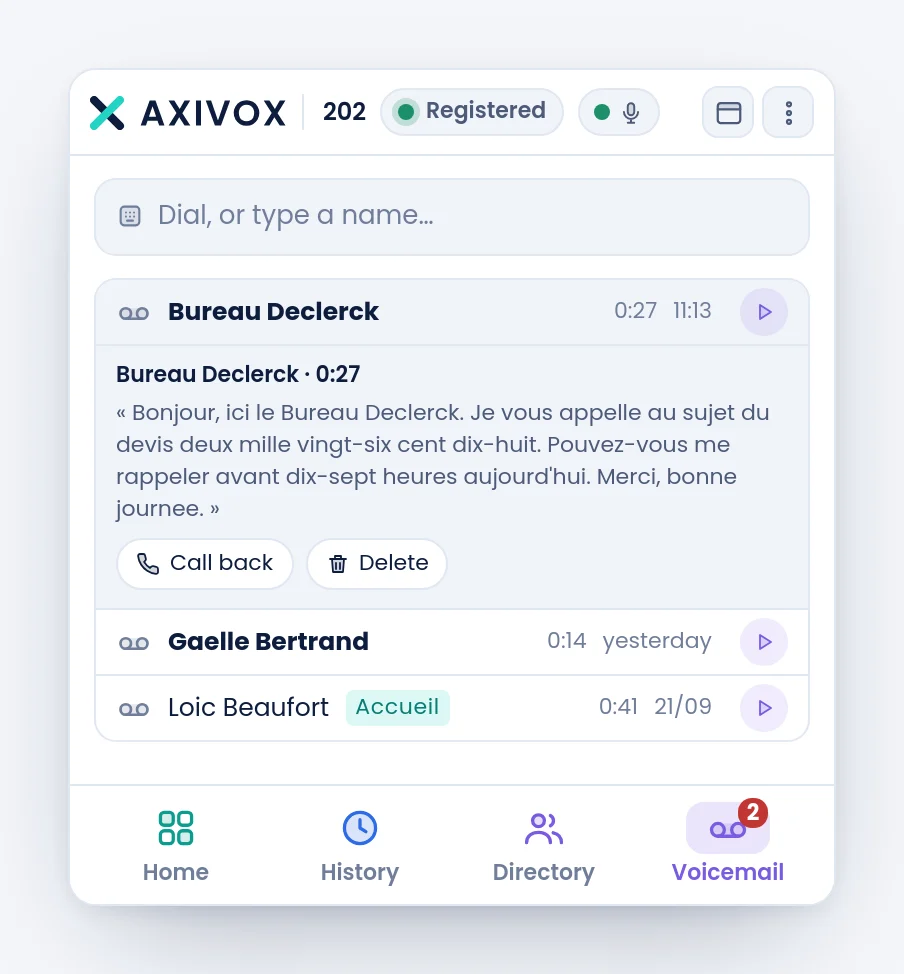
Every line gives the caller, the length of the message and when it arrived. Unread messages are in bold. A message that landed in a shared mailbox carries the name of that mailbox as a tag, so you know it is not addressed to you personally.
A click unfolds the message: its transcript in full, and two buttons, Call back and Delete. The play button, to the right of the line, plays the sound.
| What you read | What it means |
|---|---|
| Transcription in progress. | the message has just arrived, come back in a moment |
| No speech detected in this message. | the message is empty or inaudible |
| Transcription unavailable. | the transcription failed. The sound is still playable |
| No recording for this message. | the sound was deleted, the transcript remains |
The directory
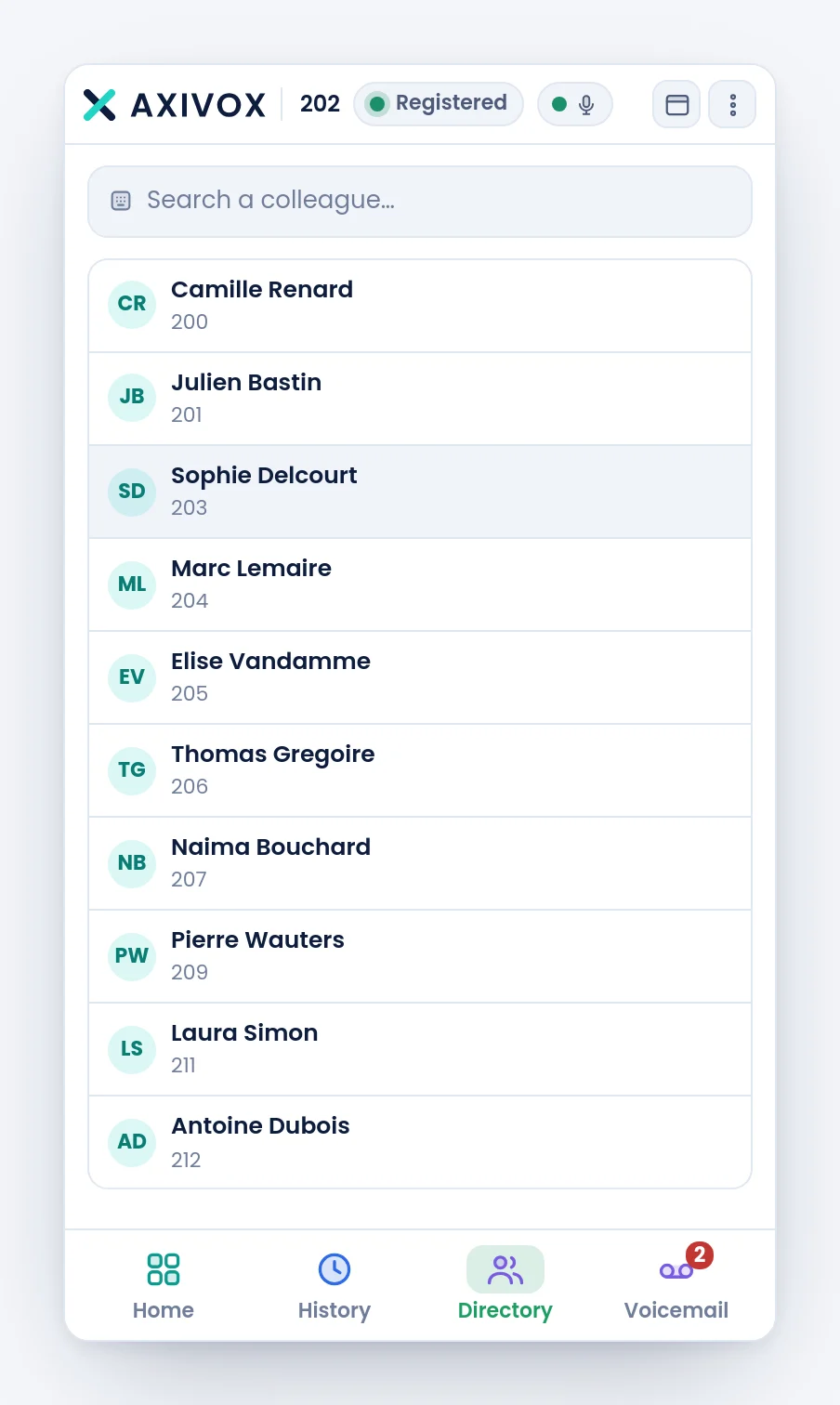
The directory lists your colleagues with their extension number. A click calls. The command bar filters the list, as in the history, with the placeholder Search a colleague….
It is also from the directory that listening in and whispering are started, when your extension is allowed them. That is the subject of a separate page, later in this chapter.
Step by step
- Open History when you arrive in the morning: the red badge counts the missed calls of the day, and clears once you have looked at them.
- To call somebody back, click the green button at the end of their line rather than retyping their number.
- Open Voicemail when the purple badge is lit, unfold each message, read the transcript.
- Delete what is dealt with: deletion asks for a confirmation, there is no slip possible.
- Use the Directory to find an extension number you do not know by heart.
If it does not work
My history is empty although I have made calls. The history covers a recent period. Older calls, at the bottom of the list, loads the rest.
A call appears under a number and not a name. That party is neither in your internal directory nor in the connected address book. That is information, not a fault.
"Messages unavailable". The list could not be loaded. If it persists, check that the state pill is green.
"No voicemail box is attached to your extension." Your extension has no mailbox. That is a portal setting, to be asked of your administrator.
I do not see the messages of a shared mailbox I belong to. The right to consult a shared mailbox is granted in the portal, mailbox by mailbox.
The directory is empty. It lists the extensions of your company, yours excepted. On an installation with a single extension, it has nothing to show.
I play back a call and there is no sound. The recording may have been deleted since, or the call was not recorded. The Recorded filter only shows the ones that are.