A rule, agents, numbers
A queue takes the call, holds it, and distributes it according to the rule you chose. It keeps track of everything: wait time, who answered, and what left the queue unanswered.
- The strategy changes on a live queue
- When the wait time runs out, the call carries on in the plan
- Statistics also cover calls outside a queue
Two ways to staff a queue
Both live side by side in the same queue: a permanent team, and reinforcements added when the day calls for it.
Permanent agents
Attached to the queue for good, always in it.
- They ring as soon as a call enters the queue
- Nothing to do in the morning, nothing to undo in the evening
- The right choice for a dedicated team
On-demand agents
They log in and out themselves.
- Each one joins the queue when they're available
- A one-off reinforcement that doesn't stay
- The right choice when the queue isn't the main job
Four reports, and a wallboard
Reports cover the period you choose, and read with nothing to export to a spreadsheet.
| Report | What it shows |
|---|---|
| Distribution | Call volume by time slot, to see where your peaks are |
| Answered calls | Every call taken, with the wait before answer and the agent who answered |
| Unanswered calls | Calls that left the queue, and why |
| Agent performance | Per agent, calls taken and time spent on the line |
| Wallboard | The queue's live state, on a screen in the room |
Which strategy to pick based on your team's size and trade: our article compares all six.
Read the articleThe queue's state, visible across the room
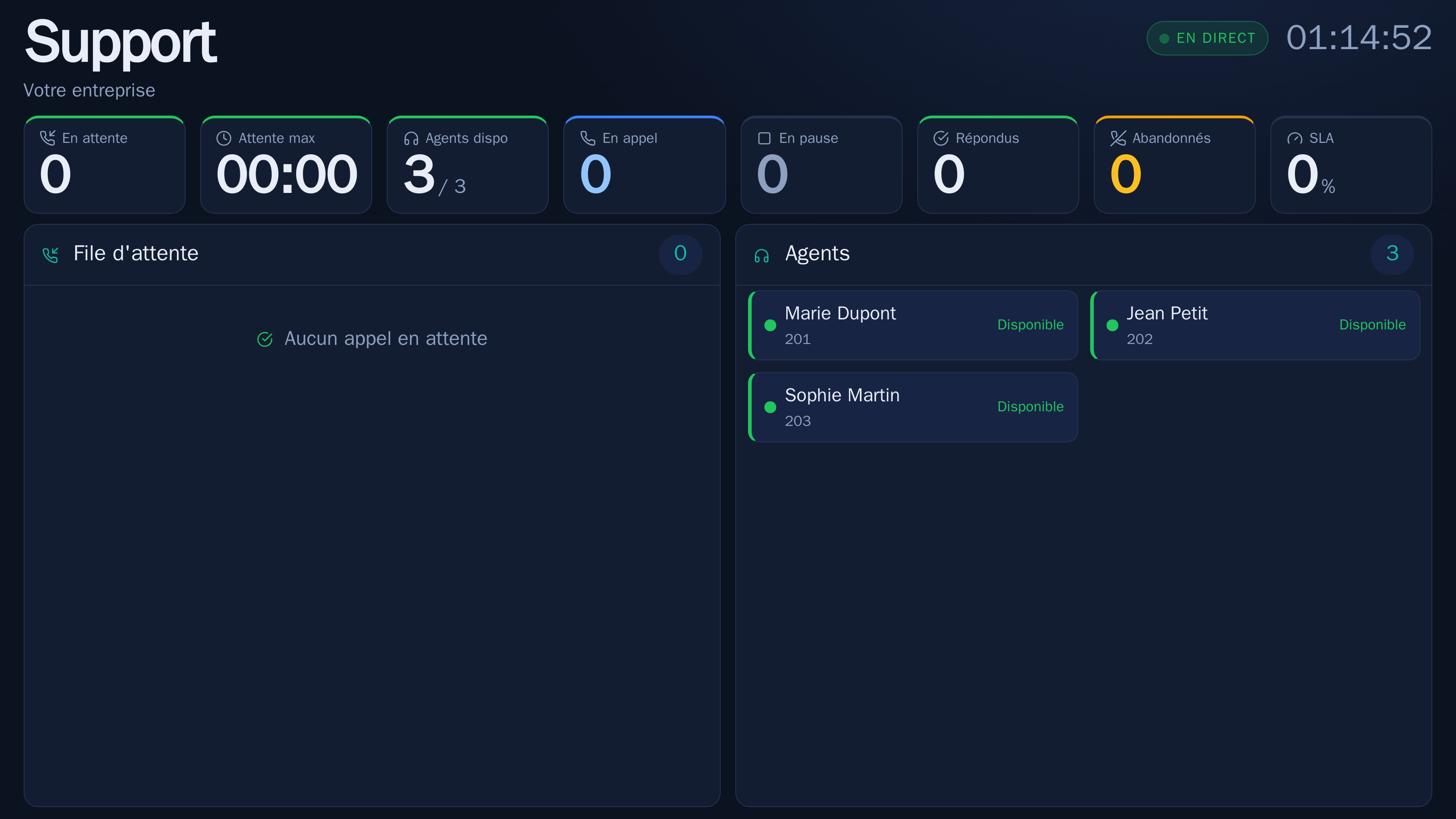
Calls waiting, the oldest one, connected agents and their state. Every queue has its own public address: you open it on a screen in the office, or send it to a supervisor.
- One address per queue, to display as is
- Nothing to install on the screen, a browser is enough
- A team that sees its wait time climb organises itself
Three ways to follow a call in progress
Listen, whisper, join the conversation
Three ways to support an agent on a call: quiet listening, whispering that only the agent hears, and barging in, which puts you in the conversation. Who can supervise and who can be supervised is set per extension.
What to look at first
The distribution report, because the call peak is almost never where you thought. Unanswered calls then say why the call left the queue, which points to whether you need more agents or a different strategy.
The guide details listening, whispering and barging in, and who is allowed to use them.
Open the guideOn the same subject
Queues & reports
Six distribution strategies, permanent agents or ones who log in on demand, four reports and a wallboard. Measure wait times, calls taken and the ones you lost, in and out of a queue.
Call recording
Record your calls, listen to them from the interface and read their transcript. The models that analyse them run on our servers, in Europe.
Virtual phone system
A hosted business phone system, no cabinet in a closet: extensions, greeting, queues and numbers are set from a browser.
Which queue strategy to choose
Ringing everyone at once is the default setting, and it's rarely the right one. Each strategy answers a different question.
Measuring a call center: the metrics that matter
It's easy to drown a call floor in numbers. In practice, four or five metrics are enough to know whether your customers are well served, and where to reinforce.
Your greeting, set up with the queues it needs
Tell us how many people answer, at what hours and for which departments. We'll build the queue with you, and price it.