The recording
Played back from the interface, next to the call it's attached to. Nothing to download, nothing to open in another piece of software.
Record, listen, and know what was said
Recording is triggered from your dial plan, or switched on per extension. The call is then played back from the interface, read as a transcript and summarised. The processing runs on our own infrastructure, in Europe, and the audio never goes to any third party.
A module dropped into the dial plan records whatever passes through that branch, and nothing else. That's what lets you record after-sales calls without recording accounting's.
Played back from the interface, next to the call it's attached to. Nothing to download, nothing to open in another piece of software.
The text of the conversation. What would take eight minutes to listen to is read in a few seconds, and an exchange is revisited without pulling in the person who had it.
What the call was about, in a few lines, and the topics covered. Enough to review a day of calls without listening to a single one.
The analysis picks up the tone of the exchange and flags calls that need a follow-up. It's the sorting nobody has time to do by hand.
It's the question that gets forgotten. Many businesses set up recording, then discover their audio is sent to a provider to be transcribed, often outside the European Union.
Not to be confused with this site's live chat, which does rely on an external model. It's separate from the calling platform and sees none of its data. The detail is on the privacy page.
The purpose is written down before you record, and it limits everything else: how long you keep it, who listens, what you do with the text. “Recording just in case” isn't a purpose.
Both sides. Your caller, through an announcement at the start of the call, and your staff, through clear information. The announcement sits in the dial plan: so it plays every time, depending on nobody.
As short as possible given the purpose. For training, a few weeks is enough. For a dispute, the length of the dispute. Keeping it indefinitely is the most common mistake.
This is the line of the register that gets forgotten. If a third-party service transcribes or analyses the audio, it's a recipient and must be listed. With us, there isn't one: it's detailed on the infrastructure and GDPR page.
The four questions, the register, and why consent isn't always the right basis.
Read the article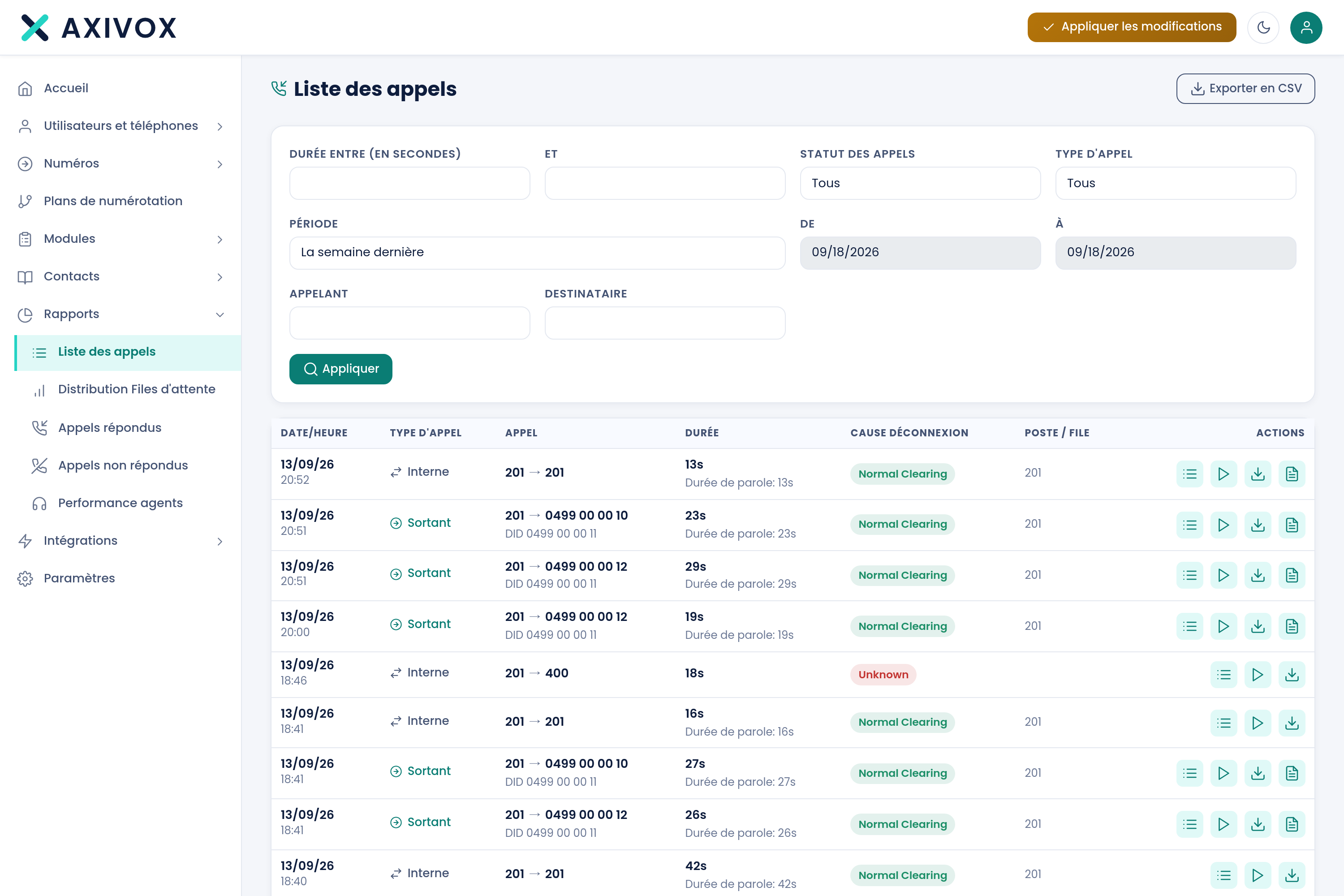
Calls are filtered by status, direction, period, caller, destination, and by duration between two bounds. You isolate the call, open it, listen to it or read its text.
Recording, transcription and analysis of your calls on our own private servers in Europe, with no external AI. You choose what gets recorded.
Automatic call distribution, agents, four reports and a wallboard per queue: the building blocks of a call center, inside your interface.
Axivox is used by Odoo's own teams and recommended to their customers. Official VoIP app, record pop-up, click to call.
Recording is useful for training and for evidence, and it is regulated. Four questions to ask before turning on the feature.
Recording a call is common practice. Transcribing and analyzing it changes things: you stop replaying everything just to find what matters.
Tell us which calls you need to record, and why. We'll build the dial plan that only records those, with the announcement in front of them.