Unbox it, plug it in, that's it
A new phone knows nothing about you. Zero-touch provisioning handles that moment: the device announces itself, we recognise it by its MAC address, and it receives the configuration of the extension you attached it to.
- Nothing to type on the device's keypad
- A replaced phone is picked up the same way
- Keys and directory arrive with the rest
Four steps, and none of them on the phone's keypad
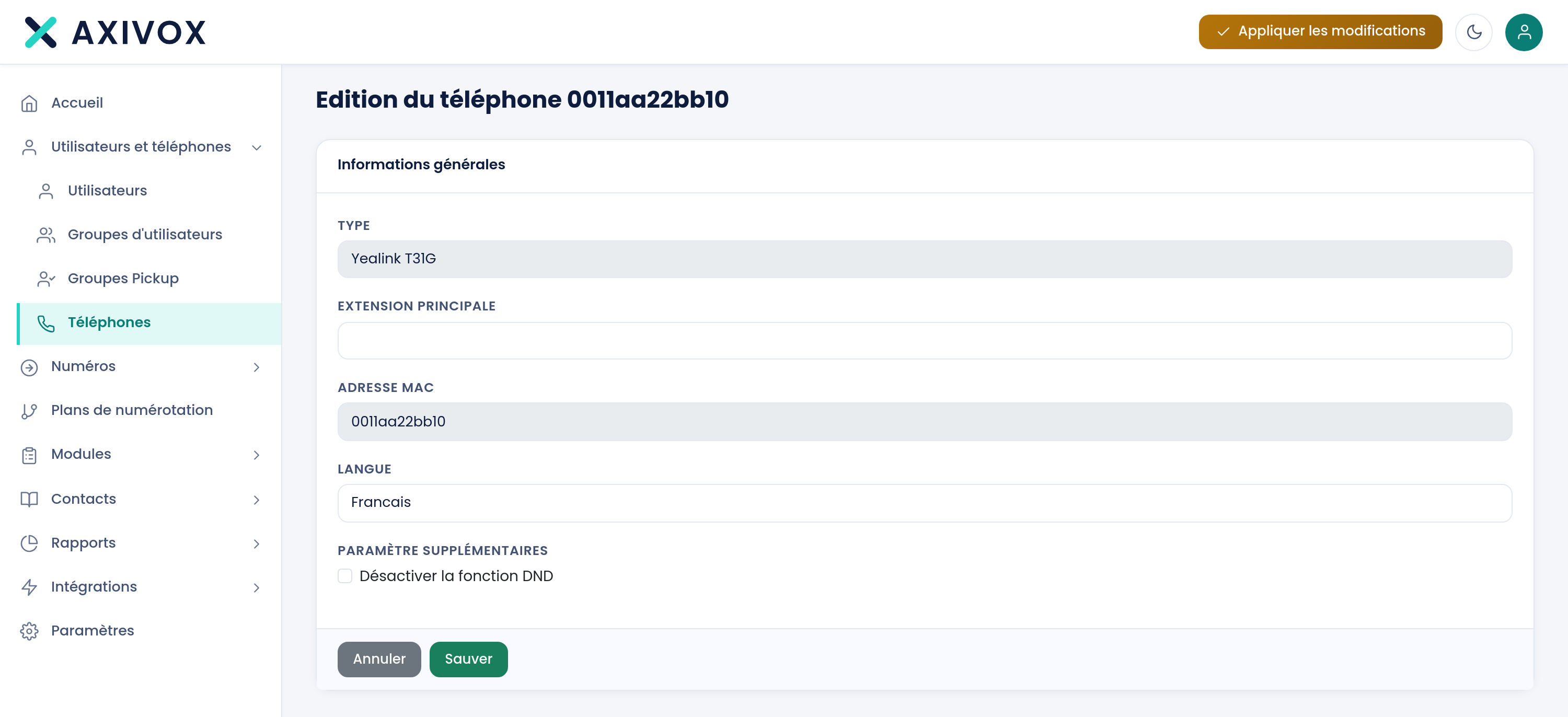
You declare the MAC address
It's printed underneath the device and on its box. It's the only thing we need to recognise it.
You attach it to an extension
The extension already carries its internal number, voicemail, keys and permissions. The phone inherits all of it.
You plug it in
The first time it starts up, it fetches its configuration and sets itself up. Nobody types a server address on site.
You change whatever you want, afterwards
A key to revisit, an extension to reassign: the change goes out to the device with nobody having to travel.
Encrypted on both sides, and no TFTP
An extension's configuration contains its SIP credentials: it has no business travelling in the clear over a network. Many installations still use TFTP, a protocol with no encryption and no authentication. We don't use it.
- The device and the server each present a certificate
- The configuration never travels in the clear
- A device we don't recognise gets nothing
The SIP standard, whatever the brand
We follow the standard, with no proprietary extension: whatever speaks SIP registers with us.
The two provisioned brands
Snom and Yealink configure themselves.
- Registered by MAC address, nothing to do on site
- Configuration received on first start-up
- Keys and directory pushed along with the rest
Everything else
Another phone, a gateway, a SIP application.
- You create the extension, the SIP tab carries its credentials
- You enter them into the device, whatever the brand
- Nothing is reserved for one particular brand
No device at all: the same extension runs in a browser, on Windows and on macOS.
See the softphone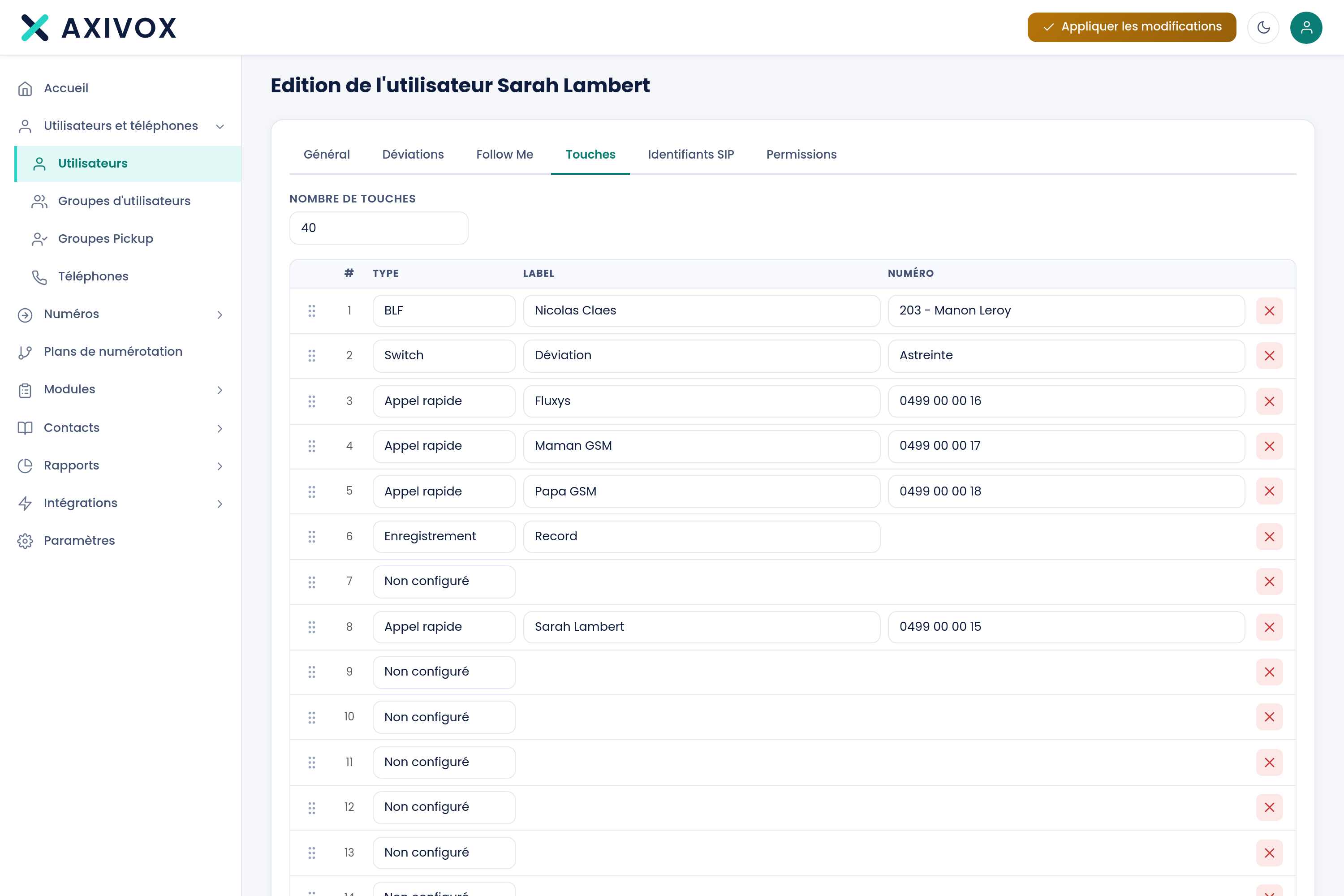
Set from the record, not on the keypad
Supervision keys are set from the extension's record. You then see who's free, who's ringing and who's on a call, and one press calls the colleague or picks up their call.
- The change goes out to the device, with no site visit
- The same keys exist in the softphone
- A known contact's name pops up at the ring
On the same subject
The softphone
Receptionist mode, CRM actions written into your tool, drag-and-drop transfer, calls taken with you on mobile. Windows, macOS, browser.
Virtual phone system
A hosted business phone system, no cabinet in a closet: extensions, greeting, queues and numbers are set from a browser.
Infrastructure
Round-the-clock monitoring, three sites on three continents, several carriers, and six protections active at all times.
A call where you only hear on one side: the five causes
One-way audio is the most common fault in IP telephony, and it is almost always the same culprit: something on the path of the sound, not the signaling.
Three firewall settings that break phone calls
Almost every IP telephony fault blamed on the network comes down to one of these three settings, and two of them are turned on by default.
Your current devices, and the ones missing
Give us the brand and model of what you already have. We'll tell you what provisions itself, what needs to be registered by hand, and what's better replaced.