WhenQuote
An opportunity opens in your pipeline, with the call summary inside.
Pay for your calls, not your users.
At CloudTalk, each user is a line on the invoice. At Axivox, the invoice counts your calls and your numbers, not people. Compare them on the same team of six, connected to Odoo.
What this page says about CloudTalk comes from its public pages, read on 28 November 2026.
| Description | Amount |
|---|---|
Subscription6 users at 29.00 €, billed annually | 174.00 € |
Callsunlimited in your zone, up to 3,000 minutes per user per month | included |
Per month, excl. VAT | 174.00 € |
Essential is their first plan that unlocks the Odoo integration. Billed monthly, it goes up to 39 € per user. Transcription is an extra module.
| Description | Amount |
|---|---|
Month's callscall budget for 4 simultaneous calls, at 10.00 € | 40.00 € |
Numbers2 Belgian numbers, 1 French number | 3.50 € |
Per month, excl. VAT | 43.50 € |
Your calls are deducted from the call budget, to the second. Above 40 €, you pay for what you called.
The same team on both sides, at each site's public prices, excluding setup fees. A team that is on the phone all day should redo this calculation with its minutes.
While the call is coming in, the dial plan queries your Odoo: who this customer is, who follows them, whether they have an open ticket. The answer picks the extension that rings.
Scroll the diagram to see all of it.
An unpaid invoice, the customer's language, their sales team: the dial plan reads it in Odoo, and you draw what follows with your mouse.
If your Odoo takes too long to answer, the call follows its usual path. Nobody waits in the void.
Their Odoo page and their help describe what is recorded after the call. They say nothing about a call routed according to your data.
After the call, a note arrives in the chatter: its direction, its duration, its summary and its topics.
Every line, with its speaker. It is done with us, in France.
The audio file is attached to the note: you replay it from Odoo.
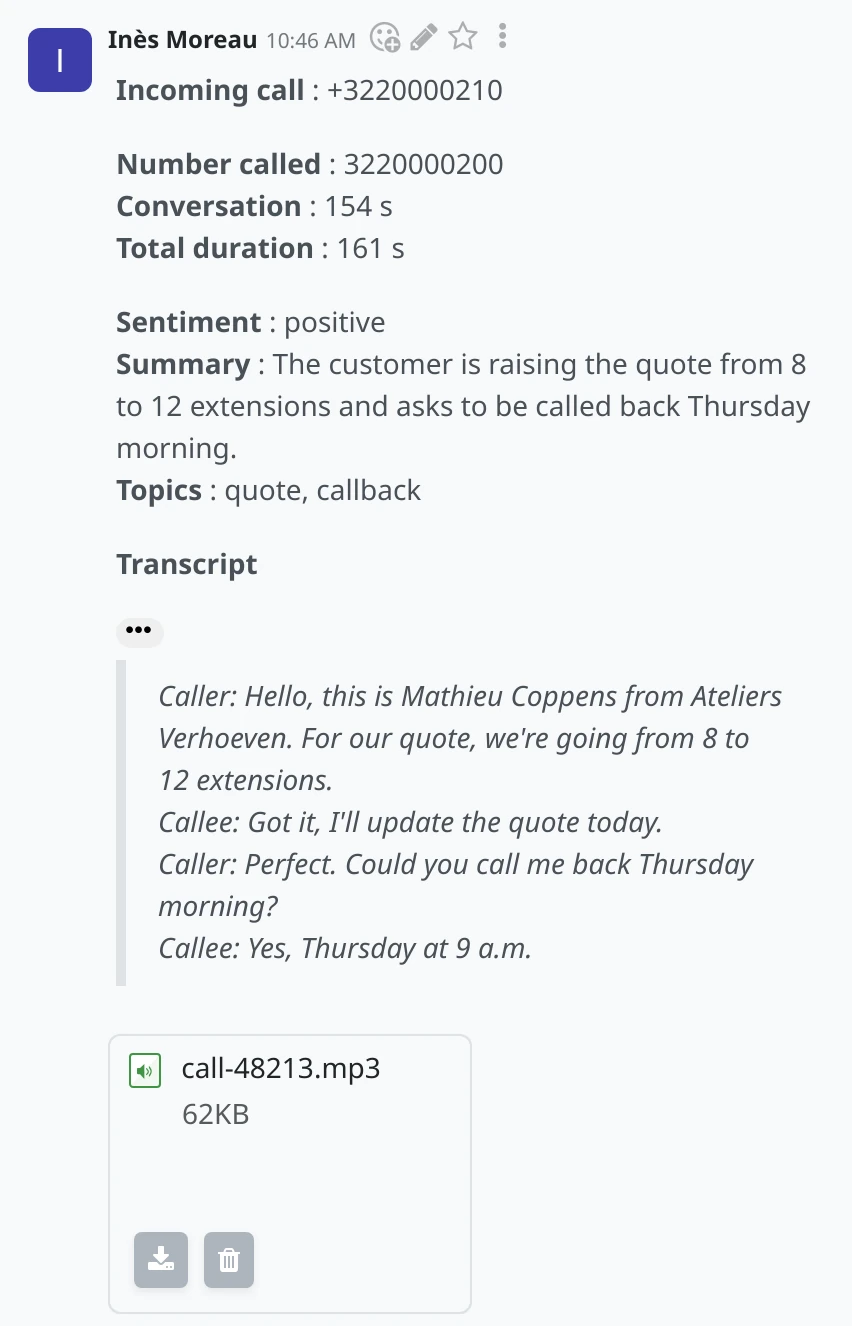
The note of a call in an Odoo contact. The data is fictional.
At CloudTalk, the help centre states it: the Odoo integration sends neither AI-generated summaries nor SMS. Transcription is a paid module there, at 9 or 19 € per user per month.
During the call, you place a tag with one click. A rule does the rest in Odoo, and you choose which one.
An opportunity opens in your pipeline, with the call summary inside.
A support ticket goes to support, with the recording attached.
An email notifies the front desk and the sales rep, caller's number included.
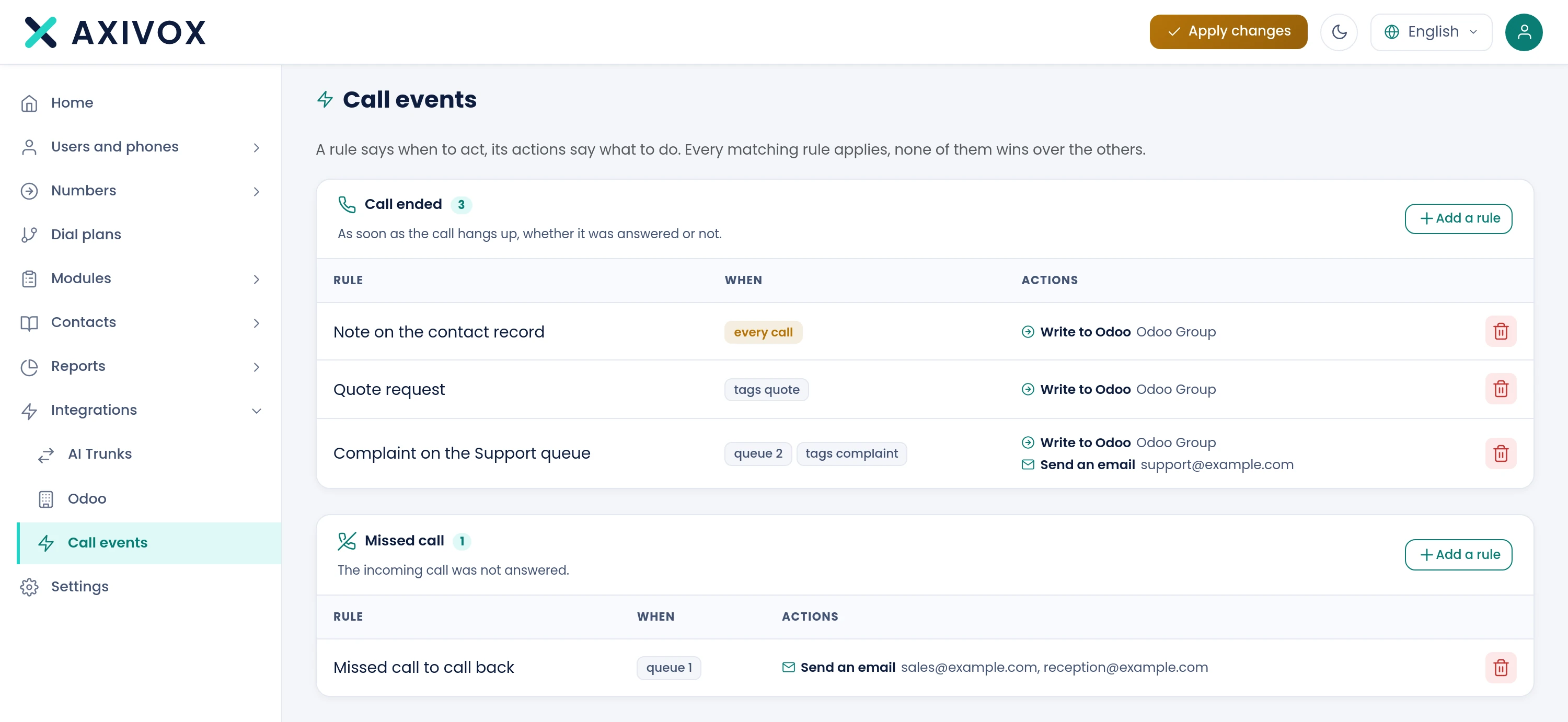
At CloudTalk, the integration creates a record when none matches the number. Their pages describe neither a ticket nor an opportunity created from the call.
One click on a number, and your phone picks up hands-free, then dials. At CloudTalk, a SIP phone is activated on request to support, and one of their pages states that some application features, such as transfer, are not available on desk phones.
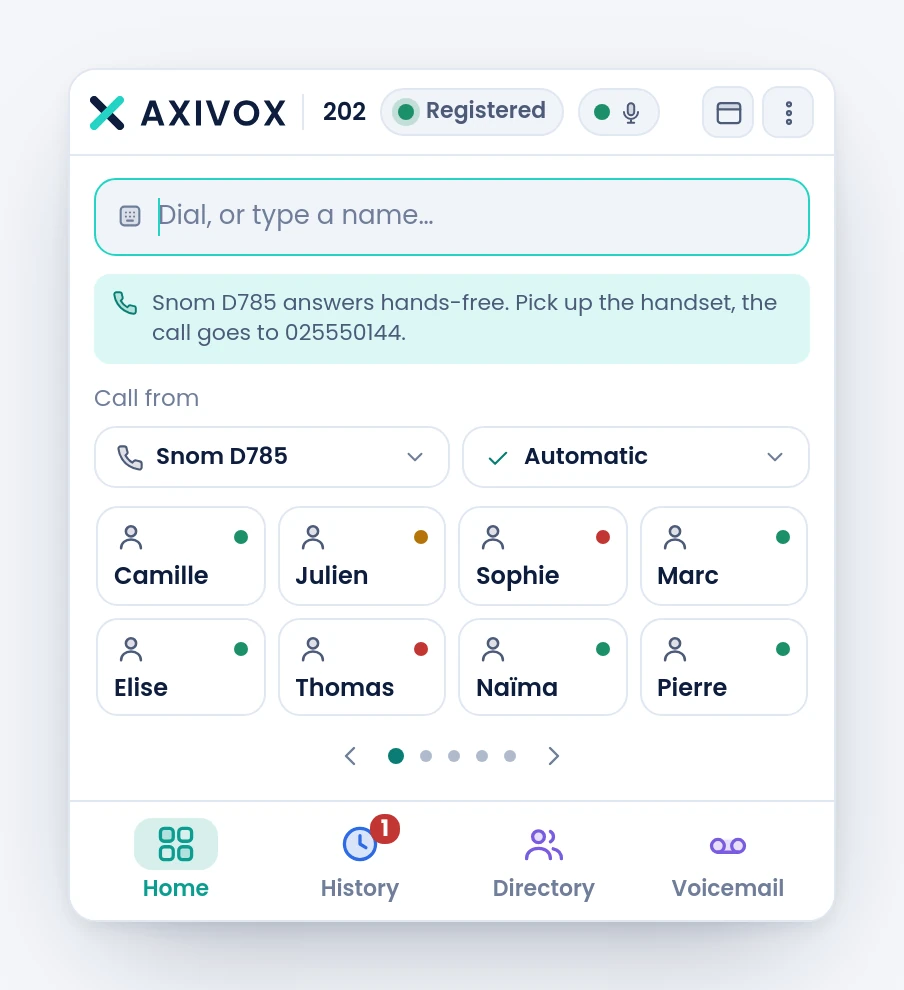
Your calls are counted to the second. CloudTalk's terms (clause 6.3) round each billed call up to the next minute.
It installs in Odoo like an application, from Odoo 16 to Odoo 20, on Odoo Online, Odoo.sh or Community.
Calls stack up in the softphone. You switch from one to the other with a click.
Your users and your queues add no line.
We read them on their pricing page, in their help centre and in their list of sub-processors. Everything is public.
"Conversation Intelligence" is added to every plan, Expert included: 9 or 19 € per user per month.
Their list places all their AI sub-processors in the United States. Their help states that they may store data there by default, that recordings and AI-generated data are kept in Frankfurt, and that European residency is offered to customers who require it.
Their Odoo store listing announces the customer's information and previous notes displayed on the inbound call. Their help centre does not describe them: have it confirmed.
Three plans on their side, Starter, Essential and Expert; the last one requires three licences. Our pricing
Everything this page says about CloudTalk comes from its public pages, read on 28 November 2026: its Odoo page, its Odoo help article, its pricing page, its general terms and conditions, its list of sub-processors, its listing on the Odoo store, its help on conversation analysis and its page on the cloud switchboard.
A price or a clause can change overnight. Check at the source, ours as well as theirs, before deciding.
It depends on your calls. CloudTalk charges for each user, with a volume of minutes included for the chosen zone. Axivox charges for your calls to the second, with a monthly call budget of 10 € per call held at the same time, whatever the number of users. A large team that makes few calls pays less with us; a team that is on the phone all day should do the calculation with its minutes.
With Axivox, yes: a note arrives in the chatter of the record, with the summary, the transcription and the recording. At CloudTalk, the help centre states that the Odoo integration does not send AI-generated summaries.
Yes: a click on a number makes your desk phone pick up, then dial. At CloudTalk, a SIP phone is activated on request to support, and one of their pages states that some application features, such as transfer, are not available on desk phones.
With us, in France. For CloudTalk, the list of sub-processors places all the AI ones in the United States; their help indicates recordings kept in Frankfurt, and European residency offered to customers who require it.
From its public pages, read on 28 November 2026: its Odoo page, its help centre, its pricing page, its general terms and conditions, its list of sub-processors and its listing on the Odoo store. Check them at the source before deciding.
VoIP telephony for Odoo: the record opens as it rings, click to call, and rules that create a ticket, an opportunity or a task.
A one-off setup fee, then a subscription that depends on your usage, your capacity and your numbers. No price per extension.
A hosted business phone system, no cabinet in a closet: extensions, greeting, queues and numbers are set from a browser.
Give us your number of users, your simultaneous calls and your Odoo version. We will get back to you, and we can give you a budget range.