Claims handler
Yanis
He logs in to the queue from home when the surge arrives, and logs out when it passes.
Claims don't keep office hours.
Nadia handles claims at an insurance brokerage. When hail hits on a weekend, calls come in by the dozen, and on-call cover no longer relies on a call forward that someone forgets to cancel. Here is her weekend.
Nadia is a fictional character, as are the Vermeulen Brokers firm and its policyholders.
He logs in to the queue from home when the surge arrives, and logs out when it passes.
His glass roof is smashed at seven in the morning. He wants to talk to someone, not leave a message.
A client of the firm for years, she doesn't want to give her policy number again on every call.
Before leaving the office, Nadia presses the Astreinte (on-call) key on her desk phone. The light comes on and the phone confirms with a beep: the switch is in the active position, and from the very next call, the voice agent answers instead of the team.
For NadiaShe leaves with an easy mind: there is no call forward to remember to undo, and the switch flips back with one key.
Mr JanssensHello, the hail has smashed my glass roof and water is coming into the kitchen.
Voice assistantVermeulen Brokers, good morning. I'm the firm's voice assistant. I'm noting your claim: what is your address?
For Mr JanssensHe talks to someone at 7:10 am, not to an answering machine. The voice assistant works out what the claim is, and hands over to a person as soon as the request goes beyond its remit.
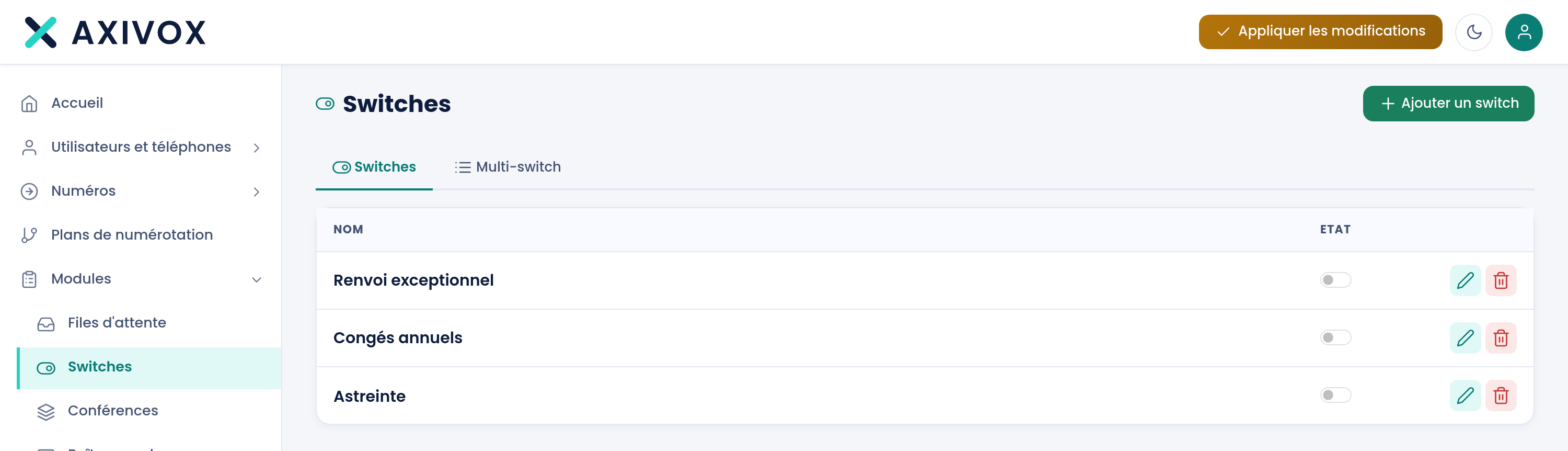
From home, Nadia opens the list of switches in the portal and sets Astreinte to inactive: new calls now go to the team's call queue. Yanis and a colleague log in to it from their homes. On the wallboard, the “Waiting” tile turns red when five callers are holding.
For NadiaShe reacts while policyholders are still waiting, from home, and sees at a glance who is logged in.
Ms RocherHello, it's Ms Rocher, I have water in my living room.
YanisHello Ms Rocher, I'm pulling up your file.
For YanisHe knows who is calling before he says a word. One click on Record, and the contact opens in Odoo without leaving the call.
Nadia opens the queue reports: call distribution, answered calls, unanswered calls, agent performance. She sees at what time the surge hit, how many calls were answered, and how many were lost.
For the firmAt the next storm, the firm knows how many people to put on the queue, and at what time.
For the person who administers the phone system. The detail, screen by screen, is in the guide.
It has two positions, and the dial plan reads them on every call: a change applies to the next call. It is flipped with one key on the desk phone, or from the portal's list.
It lives with ElevenLabs or Retell AI and plugs into the plan as a destination. You give it your script and your transfer rules. To retrieve what it has collected, for example the address and the nature of the claim, ElevenLabs offers a webhook: this is an external integration, to be programmed on your side.
Claims handlers log in and out of it themselves. The wallboard and the queue reports show you the scale of it, and Odoo gives the caller's name as the phone rings.
The on-call switch, the voice agent, call queues and reports are documented screen by screen.
Open the guideA hosted business phone system, no cabinet in a closet: extensions, greeting, queues and numbers are set from a browser.
The VoIP trunk that links your telephony to voice AI platforms, and an agent that greets, qualifies and transfers with context.
Receptionist mode, CRM actions written into your tool, drag-and-drop transfer, calls taken with you on mobile. Windows, Linux, browser.
VoIP telephony for Odoo: the record opens as it rings, click to call, and rules that create a ticket, an opportunity or a task.
Tell us how you handle a surge of claims today. We'll show you what it looks like with on-call cover run by a switch.